Free DKIM Checker
A DKIM checker reads the public key a sender publishes in DNS at selector._domainkey.yourdomain.com, the key receiving servers use to check the signature on each message. This free tool scans 20 common selector names for a domain, or reads one named selector, and shows each key's type and size so you can see whether it is 2048-bit RSA.
Free & rate-limited. No signup required to try.
Example resultThis is a real lookup we captured on 2026-10-21 for github.com. Run any lookup above and it is replaced with yours.
1 DKIM key found for github.com
Every key found is 2048-bit RSA or stronger.
Source: public DNS, read live. Checked the 20 selector names mail systems use by default.
Source: RFC 6376: DomainKeys Identified Mail (DKIM) Signatures, published by IETF.
Need this at scale? Email Authentication API
Grade a whole list of domains at once: MX, SPF, DMARC, DKIM and BIMI with a 0 to 100 score and the fixes in order, at 2 credits per domain.
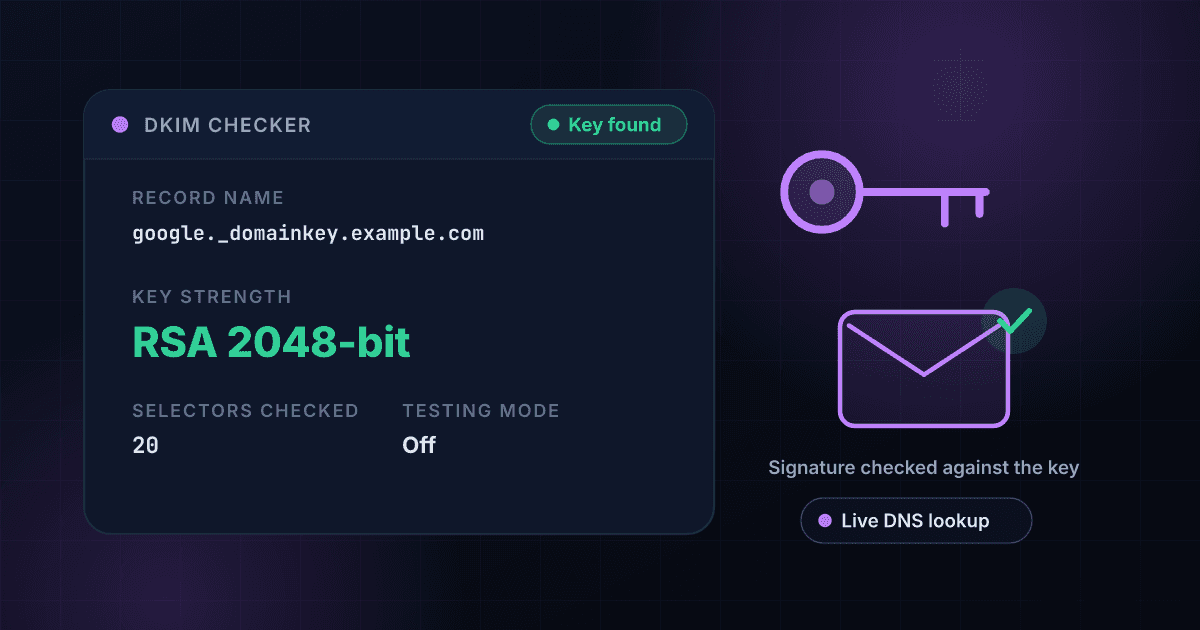
A DKIM checker shows which signing keys a domain has published and how strong they are.
DKIM lets a sender sign each message with a private key and lets every receiving server check that signature against a public key published in DNS. The public key lives at a name made of a selector, the text _domainkey and the domain, such as google._domainkey.example.com. This checker reads those records for you, shows the type and size of each key, and flags a key shorter than the recommended 2048 bits.
DNS cannot list a domain's selectors, so nobody can find every key from the outside. The sender chooses the selector name, and only a message the domain really sent shows it, in the s= value of the DKIM-Signature header. This tool asks for the 20 names that Google Workspace, Microsoft 365, Mailchimp, Fastmail, Proton Mail, Zoho and other sending systems use by default, and says plainly when it finds none. If you know the selector, enter it with the domain and the tool reads that exact key.
In our September 2026 census, 64.3% of the 3,514 top-5,000 domains that receive mail published a DKIM key under one of eight of these names, and 53.5% of the 2,100 probed in a long-tail band did. Those figures are floors, not adoption rates, because senders are free to pick any name.
DKIM is one of three records that receiving servers read together.
A DKIM key shows who signed a message, and DMARC decides what happens when the signature or sender does not match. Check the policy that sits on top with the DMARC checker. See how 8,000 domains publish all three records in the DMARC enforcement gap study. To grade a whole list of domains at once, use the Email Authentication API.
A result lists each key found, and each row answers whether that key is strong enough.
This is an invented result for a made-up domain, laid out the way a check comes back. Every field is free on this page.
- Selector googleRSA 2048-bit
- Selector s1RSA 1024-bit (move to 2048)
- Selector names checked20
Selector google
A key published for Google Workspace. 2048-bit RSA is the recommended size.
Selector s1
A valid key that is shorter than recommended. Ask the sending service for a 2048-bit key and publish it.
Selector names checked
How many common names were asked. A sender with a custom selector name will not appear, so enter it directly to read it.
The DKIM checker finds a key in three steps.
Enter the domain or the full key name
Type a domain such as yourcompany.com to scan the common selector names, or a full name such as google._domainkey.yourcompany.com to read one key. An email address works too, and we use its domain.
We ask public DNS for each name
We look up the TXT record at each selector name over DNS and keep only records that are DKIM keys: version DKIM1 or none, with a non-empty p= value. A record with an empty p= is a key the owner withdrew, and counts as no key.
Read each key and its strength
You get every key found with its selector, its type and its size, and a flag on any key published in testing mode. If a lookup did not finish, the result says so instead of reporting no key.
A DKIM check reads the public key from DNS, because a signature can only be checked against it.
This is the path one check takes. The sender signs with a private key nobody else can see, so the published key is the part that can be read from outside.
- You enter the domainOr a full key name like google._domainkey.example.com.
- DNS is asked for each selector nameThe TXT record at each _domainkey name, 20 names in all.Nothing is sent to the domain's mail servers, and no email is sent.
- Each key record is readThe key's type and size come from the public key inside the record.
- You see every key and its strengthSelector, type, size and a testing flag, in a few seconds.
A DKIM key record is made of seven tags, and only p is required.
The tag list from RFC 6376, the specification this tool reads. Only p is needed to publish a key; the rest describe it.
| Tag | Meaning | Values | Notes |
|---|---|---|---|
| v | Record version | DKIM1 | Recommended, and when present it must be the first tag |
| k | Key type | rsa / ed25519 | Defaults to rsa when absent |
| p | The public key | Base64 text | Required. Empty means the key was withdrawn |
| t | Flags | y / s | y means testing; s means signatures may not be made for subdomains |
| h | Hash algorithms accepted | sha256 (and legacy sha1) | When absent, any algorithm is accepted |
| s | Service type | email / * | Defaults to *, meaning any service |
| n | Notes for people | Text | Ignored by receivers |
These selector names turn up most often in our census of the top 5,000 domains.
How many of the 3,514 mail-receiving domains in the top 5,000 published a key under each of the eight names we probed in September 2026. Each domain can have more than one.
| Selector | Domains | Commonly used by |
|---|---|---|
| 1,107 | Google Workspace | |
| s1 | 1,063 | SendGrid and other mailing services |
| selector1 | 654 | Microsoft 365 |
| k1 | 484 | Mailchimp |
| 377 | Generic default name | |
| selector2 | 355 | Microsoft 365 (second key) |
| default | 297 | Generic default name |
| dkim | 134 | Generic default name |
Key size, not just presence
A record that exists is only half the answer. The tool reads the key inside it and reports RSA 2048-bit, 1024-bit or shorter. RFC 8301 sets 1024 bits as the least a signer may use and says to use 2048, so a 1024-bit key is flagged to move up.
The 20 selector names mail systems use by default
google, selector1, selector2, k1, s1, default, mandrill, fm1 and the rest of the common names are asked in one check, so you do not have to guess which sending service a domain uses.
One named key, read exactly
Paste selector._domainkey.yourdomain.com from a message's DKIM-Signature header and the tool reads that single record, which is the way to check a custom selector name.
Testing mode shown
A key published with t=y tells receivers the owner is still testing DKIM. The tool flags it, because a key left in testing mode long after launch is easy to miss.
A lookup that did not finish is not a missing key
A DNS timeout is reported as a lookup that did not finish, never as no DKIM, and an incomplete answer is not kept for the next visitor.
Who uses this tool
Confirm a new sending service
After you add Google Workspace, Microsoft 365 or a mailing platform, check that its key is published before you send a campaign from the domain.
Audit a client's domain
DKIM keys are public, so an agency or IT team can check any domain without access to its DNS and see which services sign its mail and how strong each key is.
Find an old 1024-bit key
Keys published years ago are often still 1024-bit. Scan the domain, spot the ones to rotate to 2048, and check again after the change.
Debug a DKIM failure in a DMARC report
Take the selector from the failing message's DKIM-Signature header, enter it with the domain, and confirm the key exists and matches what the sending service told you to publish.
Frequently asked questions
What is a DKIM selector?
A selector is the name a sender gives one DKIM key, so a domain can publish several keys side by side, one per sending service. It appears as the s= value in a message's DKIM-Signature header, and the key itself is published at selector._domainkey.yourdomain.com.
Why does the checker say no key was found when my domain uses DKIM?
Because DNS cannot list a domain's selectors, this tool asks for 20 common names, and a sender that uses a custom name will not be among them. Find the selector in a message you received from the domain and enter it as selector._domainkey.yourdomain.com to read that key.
How do I find my DKIM selector?
Open an email your domain sent, view the original message source, and find the DKIM-Signature header. The value after s= is the selector and the value after d= is the signing domain. Your sending service's setup page also lists the exact record name to publish.
Is a 1024-bit DKIM key still valid?
Yes. RFC 8301 requires signers to use at least 1024 bits and says to use 2048 bits where possible, so a 1024-bit key still verifies but is the one to rotate first. A 2048-bit key is too long for a single DNS text string, so it is published as two quoted strings that DNS joins into one record.
What does an empty p= value mean?
An empty p= is a key the owner has withdrawn on purpose, which tells receivers that mail signed with it should fail. The checker treats it as no key.
What does t=y mean in a DKIM record?
The t=y flag marks the domain as testing DKIM. Receivers are asked not to treat a failed signature differently from unsigned mail. It is meant for the first days after setup, so a record that still carries it long after launch is worth fixing.
Does a published DKIM key mean my mail passes DKIM?
A key means receivers can check a signature, so the first requirement is met. Each message must also be signed by the sending service with the matching private key, and for DMARC the signing domain has to match your From domain.
Do I need DKIM if I already have SPF?
Yes, and for large senders it is required: Google and Yahoo ask anyone sending more than 5,000 messages a day to their users to authenticate with SPF, DKIM and DMARC. DKIM also survives forwarding, which SPF does not.
Is this free, and can I check a list of domains at once?
This page is free and limited to a handful of lookups per visitor per day. To check a list of domains, the Email Authentication API grades each one: upload a CSV with a domain column and get back the DKIM, SPF, DMARC and BIMI findings, a 0 to 100 grade and the fixes, at 2 credits per domain.