Free Facebook Ad Library Search
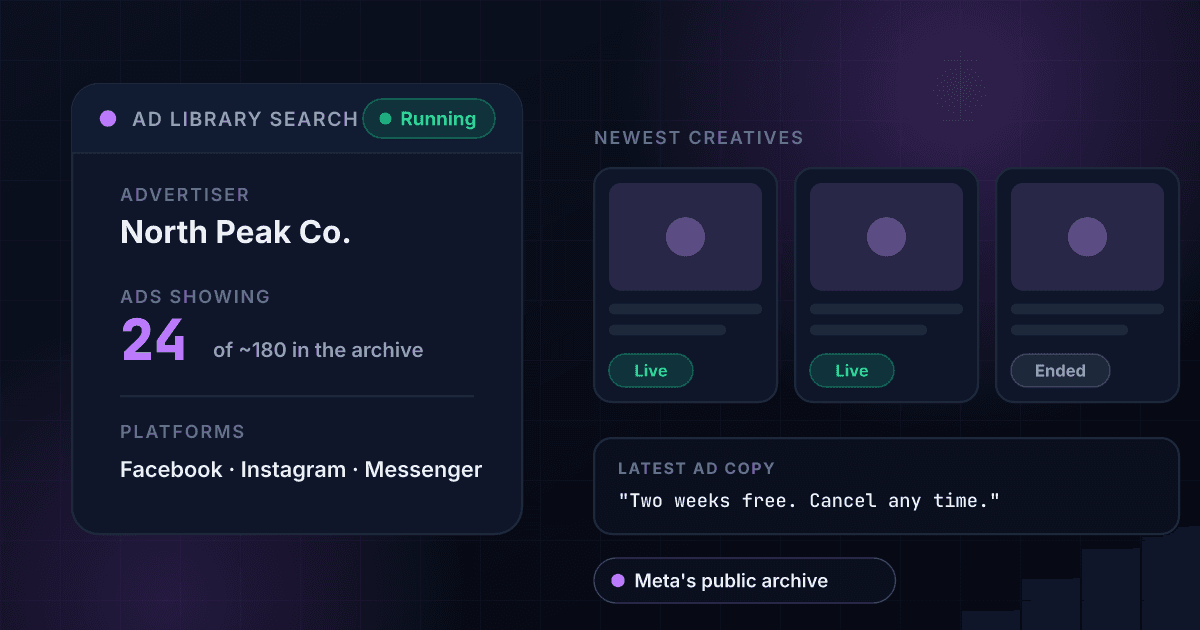
The Facebook Ad Library is Meta's public archive of the ads running across its apps. This free Facebook ad library search takes an advertiser name and returns whether that advertiser is running ads, how many are showing in this page of results, roughly how many exist, and the latest creative text.
Example resultThis is a real lookup we captured on 2026-08-23 for Nike. Run any lookup above and it is replaced with yours.
nike is running ads on Facebook
Latest creative: "Bring sports more fully into your day with the Nike App."
Read every ad, not just the latest one
The free search shows whether the advertiser is live, a count of ads in this page of results, a rough library total, and the text of the most recent creative. A free account opens every ad's full creative text, the landing page each one points to, first-seen and last-seen dates, and CSV export for a whole competitor list.
1Lookup is not affiliated with, endorsed by, or connected to Meta Platforms, Inc. Facebook, Instagram and Meta are trademarks of their respective owners. Results reflect ads that were running at the time of the search and are not a complete record of everything an advertiser has ever run. Matching depends on the advertiser's registered page name, so a search can miss a brand that files under a different one. A free search returns one page of results, not the full set.
Need this at scale? Ad Library Lookup API
Pull every live ad, creative and landing page for a list of competitors across Meta, TikTok, LinkedIn and Google.
What Is the Facebook Ad Library?
The Facebook Ad Library is a public archive Meta publishes of the ads currently running across its apps. It exists because of political advertising transparency rules: after election-interference scandals, regulators and platforms agreed that people should be able to see who was paying for political messages. Meta went further than the rules required and opened the archive to every advertiser, not only political ones. That decision is why you can look up a shampoo brand's ads today, and why the library is the single best free window into a competitor's paid strategy.
The official library is a browser page, and it behaves like one. You type a name, pick a country, then scroll a feed that loads more ads as you go. There is no export button, no way to diff this week against last week, and the public API covers political and social issue ads only, with an identity check and an approval step before you get near it. For anyone tracking one competitor that is tolerable. For anyone tracking twenty it is an afternoon lost.
One quirk trips up almost everyone. The library indexes the advertiser's Facebook Page name, not the brand name in your head. A company may run ads from a regional page, a product sub-brand, a legal entity, or a page still carrying a name from three rebrands ago. Search the obvious word and you can get zero results for a company spending heavily. Before you conclude a rival is dark, open their Facebook page, copy the exact page title, and search that instead.
The same advertiser, a different platform
Meta's archive only covers Meta's own apps, so an advertiser that looks quiet here may be putting the whole budget into short video instead. Put the same company name into the free TikTok ad library search.
How to Use the Facebook Ad Library
Get the page name right
Start with the name on the advertiser's Facebook page, not the name on their website. Big brands often file under a regional or legal entity, and small ones under a founder's page. If your first search returns nothing, try the alternative spelling before assuming they are not advertising.
Run the search
Type the advertiser name and hit Search Meta Ads. You get back whether they are running ads, how many came back in this page of results, roughly how many sit in the library in total, and the text of the most recent creative.
Read the creative, then repeat weekly
One snapshot tells you little. The value is in the change: which hooks survive, which offers get retired, which landing pages the money points at. Note the volume and the newest creative, come back in seven days, and the pattern of what a competitor is scaling shows up quickly.
What the Ad Library shows, and what it hides
Meta's Ad Library is transparency tooling, not analytics. Knowing which side of this line a data point sits on saves a lot of searching.
| Data | Available? | Detail |
|---|---|---|
| Active ads and their creative | Yes | Every ad currently running, with images, video and copy |
| Start date and platforms | Yes | When the ad began and whether it runs on Facebook, Instagram, Messenger, Audience Network |
| EU targeting and reach | Yes | For ads shown in the EU, the DSA requires audience and reach disclosure |
| Political and issue ad spend | Yes | Spend bands and funding entity, kept for 7 years |
| Budget and spend for ordinary ads | No | Meta discloses spend only for political and issue ads |
| Performance metrics | No | No impressions, clicks, CTR or results for ordinary commercial ads |
| Detailed targeting outside the EU | No | Interest and behaviour targeting is not disclosed |
A yes or no on ad activity
The first question in competitive research is whether a rival is spending at all. One search answers it: running or not running on Meta, with a count of ads returned rather than a vague impression from scrolling.
Volume, not just presence
A brand with four live ads and a brand with four hundred are running different businesses. The result separates how many ads came back in this page from roughly how many exist in the library, so you can read spend intent.
The offer, in the advertiser's own words
Counts tell you a rival is spending. The creative tells you what they are promising to get the click: the discount, the guarantee, the claim they lead with. That is the part you can put next to your own offer and judge.
Facebook and Instagram in one search
Meta files ads for both apps in one library, so a single advertiser search reaches ads running on Facebook and on Instagram, not just Facebook. You do not need a second tool for the Instagram side of a competitor's spend.
Who uses this tool
Media buyers sizing up a competitive set
Before writing a new angle, buyers check who else is live in the category and what they are promising. Ten rival names in one sitting tells you whether the category is bidding on discounts, guarantees or fear, and whether your current offer is the odd one out.
Agencies building a pitch
Nothing lands in a new-business meeting like showing a prospect exactly what their three closest competitors are running this week. Pull the live ad counts and latest creative for each, and the deck writes itself.
Founders sizing up a category
Count the advertisers in your niche and how many ads each one is carrying. Three companies running four hundred ads between them tells you the economics work and that the fight is over creative, which tells you what you need to be good at before you spend a dollar.
Affiliate and offer research
Affiliates rotate offers fast. Pull the advertiser's current creative, save it, and you have a dated record of which offer was in market on which week, which is the only way to reconstruct what was tested and when.
Frequently asked questions
How do I use the Facebook Ad Library?
Search an advertiser's name and read what comes back. On this page you type the name and get whether they are running Meta ads, how many are in this page of results, roughly how many the library holds, and the newest creative text. The one thing to get right is the name: use the title on their Facebook page, not their trading name.
Is the ad library better than a paid Facebook ad spy tool?
It is the source those tools resell. Spy tools add saved searches, alerts and their own spend estimates on top of the same public archive, which is worth paying for if you track dozens of advertisers weekly. If you are checking a handful of names now and then, you are paying for a wrapper. Start here, and buy a tool when the manual version becomes the bottleneck.
Can I search Facebook ads by keyword?
Not here. This tool searches by advertiser name, because that is the field that returns a clean, attributable answer about who is spending. Meta's own site lets you type a keyword and browse matching ads, which is useful for discovering advertisers you have not heard of. Use Meta for discovery, then bring the advertiser names back here to track them.
Is the Facebook Ad Library the same as the Meta Ad Library?
Yes. Meta renamed the Facebook Ad Library to the Meta Ad Library after the company rebrand, and both names point at the same archive covering ads across Meta's apps. People still search for the Facebook version far more often. Whichever name you use, the underlying data and the advertiser page-name matching behave identically.
Can advertisers see that I looked at their ads?
No. Transparency archives run one way: Meta built the library so the public could inspect ads, and it does not report browsing back to the advertiser. Your search does not touch their ad account, their page insights or their reporting, and nothing you read here counts as a view of their ad.
Does the Facebook Ad Library show how much a competitor is spending?
Not for regular commercial ads. Meta publishes spend ranges and impressions only for political and social issue ads, where the law requires it. For everything else you get the ads themselves, not the budget. Ad volume and how long a creative keeps running are the practical proxies: a brand does not leave an ad live for six weeks if it is losing money.
How far back does the Facebook Ad Library go?
For ordinary commercial ads, it does not go back at all in a useful way: once an advertiser stops running an ad, it drops out of the public view. Political and social issue ads are the exception and are kept for seven years. That is why competitive ad research has to be done on a schedule. What you did not record this month is gone next month.
Is there a Facebook Ad Library API?
Meta's own Ad Library API covers political and social issue ads, and getting access means confirming your identity and being approved. There is no public Meta API for ordinary commercial ads. 1Lookup's Ad Library Lookup endpoint takes an advertiser name and returns their live ads programmatically.
What does the free search leave out?
Three things. You get one page of results rather than the full set, the latest creative text rather than every ad's copy, and no landing page URLs or first-seen and last-seen dates. Free use is capped at five searches per tool per day from one IP. A free account lifts all of that and adds CSV export for a whole competitor list.
Related Facebook Ad Library Searches
More free tools
Username Checker
See whether a username is already taken on ten networks.
Instagram Profile Viewer
Followers, following, posts and verified status for any public account.
TikTok Profile Viewer
Followers, following, videos and verified status for any public TikTok account.
X Profile Viewer
Followers, following, post count and the blue checkmark for any public X (Twitter) account.