LinkedIn Company Lookup API: a company page URL in, the whole company out
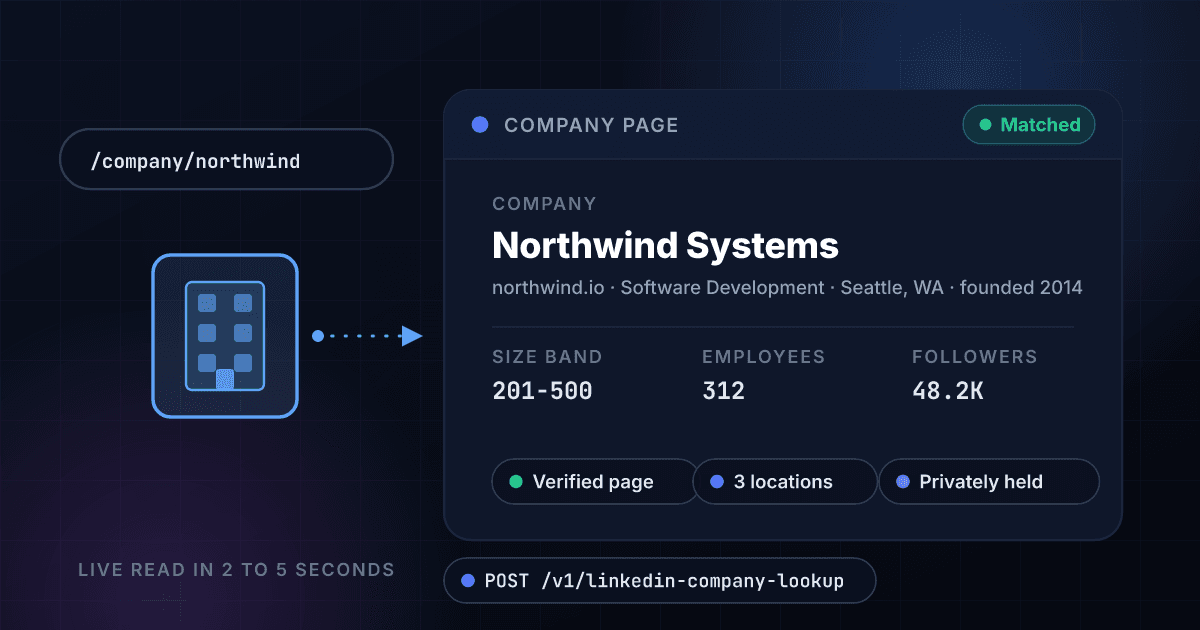
Turn a LinkedIn company page URL, or just a company name, into website, industry, headcount and size band, followers, founded year, headquarters and specialties in 2 to 5 seconds. 10 credits, and only charged when we find the page.
From $99/mo · about $0.05 per lookup
10 credits · about $0.04 on Growth · only charged on a match · credits shared across all 44 products
10
Credits per match
about $0.035 on Growth
0
Credits on a miss
no page, no charge
2-5s
Live page read
instant repeats for 7 days
25+
Fields per company
headcount to street address
What LinkedIn Company Lookup gives you
The whole company page, as data
Everything the company put on its page comes back as fields, not a screenshot: name, website, tagline, description, logo, industry, company type and founded year. Enough to fill the company block on a lead record in one call.
- Name, website and tagline
- Industry and company type
- Founded year and description
- Logo and cover image
Headcount two ways, both honest
You get the size band the company chose and the number of members who list it as their employer. They disagree often, and we return both rather than blend them, so segmentation uses the band and the member count is a floor you can trust.
- Size band like 51-200
- Member headcount
- Follower count
- Verified-page flag
Where they are, down to the street
Headquarters and every listed office, each with city, region, country and, where the company published it, the street address and postal code. Territory rules and routing stop guessing from a domain's TLD.
- Headquarters flagged
- Every listed location
- Street address when given
- Country codes for routing
URL or name, and the response says which
Send the page URL, its slug, or just a company name. A URL reads that exact page; a name returns the closest public page and the response marks it as a name search, so a best match is never mistaken for a fact.
- Company page URL or slug
- Company name search
- match_type on every response
- One canonical cache key
Only charged on a match
A page that does not exist, a restricted page or an upstream failure costs you nothing. That is our cost, not yours, and it holds for bulk CSV jobs and the dashboard as well as the API.
- Zero credits on a no-match
- Applies to bulk jobs too
- Repeats free for 7 days
- No minimum commitment
Same credits, same API, same AI tools
One balance covers company pages, company profiles, contact append, phone, email and everything else. Call it from code, from a CSV upload, or from Claude, ChatGPT or Cursor through the 1Lookup MCP server.
- Universal credits
- Bulk CSV supported
- MCP tool included
- One API key
Company page in, company out
Send a company page URL or a name
POST the LinkedIn company URL you already have on the record, its bare slug, or the company name. Locale subdomains, trailing paths and tracking parameters are stripped before anything is cached or billed.
$ POST /v1/linkedin-company-lookup
"company_url": ".../company/microsoft"
> or "company_name": "Microsoft"
> canonicalized before caching
We read the public page live
The page is read at request time, in 2 to 5 seconds, rather than served from a months-old database. Public, logged-out data only, and repeats within 7 days come straight from cache.
Page URL canonicalized
Public page read (2-5s)
Fields normalized
Public data only
Get the whole company back
Identity, firmographics, reach, headquarters and locations, specialties and similar companies land in one JSON payload. A match bills 10 credits; a miss bills nothing.
companyAcme Analytics
industrySoftware Development
51-200 · 142 members · SF
One endpoint. A LinkedIn company page URL or a company name in, structured data out.
Same authentication, same credit balance, and the same response envelope as every other 1Lookup product. If you have already integrated one endpoint, this one is a URL change.
curl -X POST https://app.1lookup.io/api/v1/linkedin-company-lookup \
  -H "Authorization: Bearer $API_KEY" \
  -H "Content-Type: application/json" \
-d '{ "company_url": "https://www.linkedin.com/company/microsoft" }'{
"classification": {
"matched": true,
"match_type": "url",
"name": "Acme Analytics",
"website": "https://www.acme-analytics.example/",
"industry": "Software Development",
"employee_count": 142,
"employee_range": "51-200",
"headquarters": "San Francisco, CA, United States",
"founded_year": 2016,
"followers": 18420,
"company_type": "Privately Held"
},
"insights": {
"linkedin_company_lookup_result": {
"linkedin_url": "https://www.linkedin.com/company/acme-analytics",
"tagline": "Revenue analytics for B2B sales teams.",
"specialties": ["Revenue Operations", "Forecasting", "Sales Analytics"],
"headquarters": {
"city": "San Francisco",
"region": "California",
"country": "United States",
"line1": "600 Market Street",
"postal_code": "94104"
},
"locations": [
{ "text": "San Francisco, CA, United States", "is_headquarters": true },
{ "text": "Austin, TX, United States", "is_headquarters": false }
],
"verified": true,
"similar_companies": [
{ "name": "Northwind Software", "industry": "Software Development" }
]
}
},
"metadata": { "credits_used": 10, "cache_hit": false }
}What a matched company looks like
One call turns a company page link into a record you can qualify, route and segment against: the firmographics on top, the places and specialties underneath, next to the raw JSON your code receives.
- CompanyAcme Analytics
- Websiteacme-analytics.example
- IndustrySoftware Development
- Company typePrivately Held
- Founded2016
- Employees on the network142
- Size band51-200
- Followers18,420
- Headquarters600 Market Street, San Francisco, CA
- Locations2
- Specialties4
- Verified pageYes
{
  "classification": {
    "matched": true,
    "name": "Acme Analytics",
    "website": "https://www.acme-analytics.example/",
    "industry": "Software Development",
    "employee_count": 142,
    "employee_range": "51-200",
    "headquarters": "San Francisco, CA, United States",
    "founded_year": 2016,
    "followers": 18420
  },
  "insights": {
    "linkedin_company_lookup_result": {
      "specialties": ["Revenue Operations", "Forecasting"],
      "locations": [
        { "text": "San Francisco, CA, United States", "is_headquarters": true },
        { "text": "Austin, TX, United States", "is_headquarters": false }
      ],
      "verified": true
    }
  },
  "metadata": { "credits_used": 10 }
}
Every field you get back
No hidden tiers. Every field below is returned on a successful lookup at the price shown above.
Identity
- name
- universal_name
- linkedin_url
- website
- tagline
- description
- logo_url
Firmographics
- industry
- industries[]
- company_type
- founded_year
- employee_count
- employee_range
- specialties[]
Reach and status
- followers
- verified
- active
- match_type
Places
- headquarters.city
- headquarters.region
- headquarters.country
- headquarters.line1
- headquarters.postal_code
- locations[]
Links
- job_search_url
- similar_companies[].name
- similar_companies[].linkedin_url
Who uses LinkedIn Company Lookup
Sales teams qualifying inbound accounts
A trial signs up with a company name and nothing else. One lookup returns the size band, industry and headquarters, so the routing rule sends a 1,001-5,000 employee account to an AE and a two-person shop to self-serve, before anyone reads the email.
Agencies building target lists
Paste a column of company page URLs from a prospecting session into a bulk job and get back headcount, industry and HQ for every row. Filter to the segment you sell to, then hand the survivors to Prospect Search to find the people.
RevOps keeping CRM accounts current
Account records age: the company moved, grew past the band your tiers are built on, or rebranded. Refresh the fields that drive territory and tier rules from the page the company maintains itself.
Trust and safety checking a business claim
A vendor onboarding claims 500 staff and a New York office. The page says 11-50, unverified, headquartered elsewhere. Ten credits saved a manual check, and the follower count and founded year give you a second read on how established the company is.
Frequently asked questions
What does the LinkedIn Company Lookup API do?
You send a public LinkedIn company page URL, or a company name, and it returns what is on that page in structured form: name, website, tagline and description, industry, company type, founded year, headcount and the size band the company chose, follower count, headquarters and every listed location with street address where given, specialties, logo, a link to the company's open jobs, and up to 10 similar companies. Public, logged-out data only.
How much does a company lookup cost?
10 credits per matched company page. That is about $0.035 per company on the Growth plan and about $0.05 on Starter. A page we cannot find costs nothing, and a repeat lookup on the same page within 7 days is free.
Am I charged when no company page is found?
No. LinkedIn Company Lookup is success-billed. A page that does not exist, a restricted page, or an upstream failure all return no match and deduct zero credits. That applies to the API, the dashboard and bulk CSV jobs alike.
Can I look a company up by name instead of by URL?
Yes. Send company_name instead of company_url and you get the closest public page, marked match_type: name_search in the response so your code can tell a best match from an exact read. When you have the URL, send the URL: an exact page read is never a guess. A bare slug such as microsoft works as a URL too.
What is the difference between employee_count and employee_range?
employee_count is the number of members who list the company as their employer on their own profile. employee_range is the size band the company picked for its page, such as 51-200 or 1001-5000. The two disagree often, and both are self-reported: a two-person startup can sit in the 11-50 band. Use the band for segmentation and the member count as a floor.
Does it return funding history or revenue?
Not from this endpoint, because a company page does not carry them. Pass the company's domain to Company Profile Lookup for funding rounds, investors and IPO status, or to Company Firmographics for revenue, industry codes and technographics. All three spend the same credit balance.
How fast is a lookup?
A fresh read takes 2 to 5 seconds, measured on live pages, because the page is read at request time rather than served from a stale database. Results are cached for 7 days, so repeat lookups on the same company return instantly. Bulk CSV jobs run rows in parallel.
Where does the data come from, and is this allowed?
Public, logged-out company page data only. There is no authenticated scraping and no private page access, and company pages are business information rather than personal data. We hold results in a 7-day cache rather than a long-lived company database. You are responsible for using the data lawfully in your jurisdiction.