Is This Website Legit?
To check if a website is legit, look at the exact domain name for misspellings of a known brand, an unusual top-level domain, and whether contact details and policies are real. Paste the address into 1Lookup's free website checker and it flags lookalike domains, suspicious TLDs and scam-storefront patterns, and explains what it found.
Example resultThis is a real lookup we captured on 2026-08-23 for https://wikipedia.org/. Run any lookup above and it is replaced with yours.
Legitimate Wikipedia homepage address.
This URL points to the legitimate Wikipedia homepage with no suspicious indicators in the address structure or domain.
What we found
- Domain is 'wikipedia.org', the official registered domain for Wikipedia.
- Uses .org TLD, appropriate for a non-profit organization.
- No subdomain tricks, lookalike misspellings, or obfuscation.
- No suspicious parameters, credentials paths, or URL shorteners.
Confidence: 95%
This is an automated assessment of the content you pasted, not a guarantee. When money or credentials are involved, contact the organisation directly using a number or address you already trust.
This tool provides an automated assessment of the web address you submit. It analyses the address itself and does not load the page, scan for malware, verify the business behind it, or query external blocklists. It is not a security scanner and cannot guarantee that a site is safe or fraudulent. A low-risk result means the address shows no clear scam indicators, not that the site is verified as trustworthy. Before buying, verify the business independently, prefer payment methods with buyer protection, and never pay by bank transfer, gift card or cryptocurrency. Report suspected scam sites at reportfraud.ftc.gov.
Need this at scale? Domain Authority API
Pull search footprint, traffic and authority for any domain to size up how established it really is.
Check a Website Before You Buy From It
Scam storefronts are cheap to build and disposable by design. They run a few weeks of ads on impossible discounts, take card details and orders, ship nothing or ship a counterfeit, and disappear before the chargebacks land. The site itself usually looks fine, because the template was bought and the product photos were stolen from the real brand.
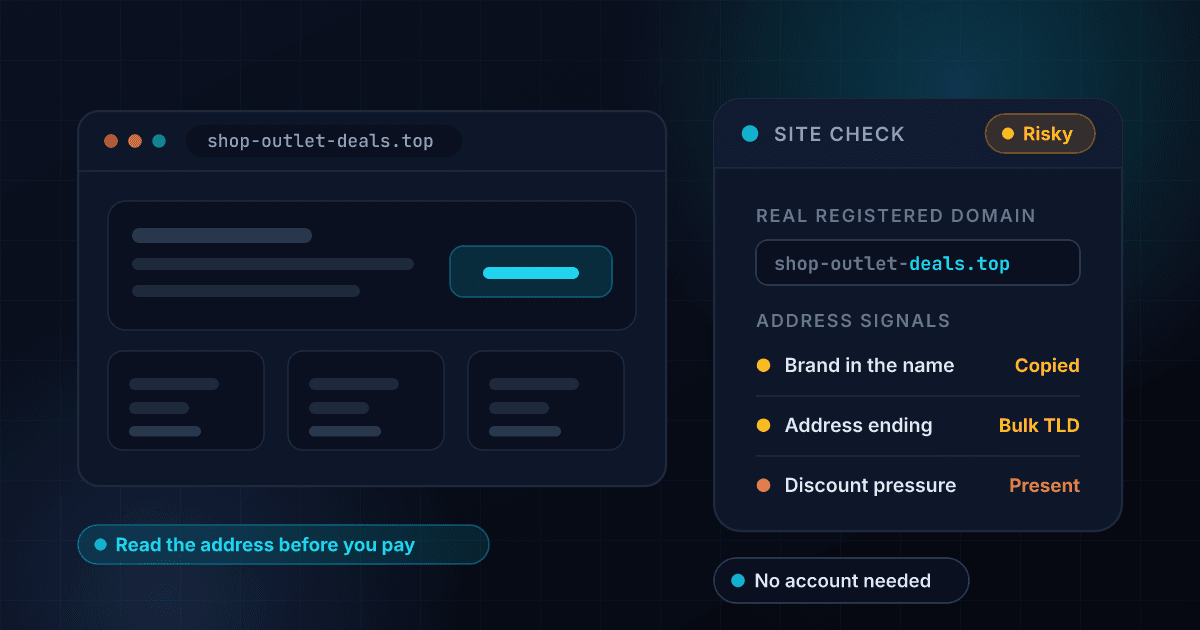
The domain is where they leak. Paste the address here and the checker examines the registered domain rather than the page design: whether it is a near-miss of a known brand, whether the brand name is sitting in a subdomain of something unrelated, whether the top-level domain is one heavily associated with throwaway stores, and whether the structure matches known scam-shop patterns. It tells you plainly when the address alone cannot settle it.
Some checks are worth doing yourself alongside this one. Look for a real street address and phone number rather than a contact form. Search the store's name with the word reviews and read what comes back on sites the store does not control. Pay by credit card or PayPal, never by bank transfer, gift card or crypto, because those routes have no way to get your money back.
A brand new domain wearing an old brand name
Lookalike storefronts are usually registered shortly before they start taking orders, while the real company's domain has been in the registry for years. Check the registration date of the site in question with the domain age checker.
What a fake online shop looks like
Every red flag in this made-up example is numbered, and each number is explained beside it. Fake storefronts are built from a template, so they tend to fail in the same four or five places.
- Address:
- designer-outlet-clearance.icu (red flag 1)
Everything 80% off, today only (red flag 2). Just 3 left in stock.
Contact us: a web form and a free webmail address (red flag 3), with no phone number and no postal address anywhere on the site.
Payment: bank transfer, crypto or gift card (red flag 4).
Every review is five stars and dated the same week. (red flag 5)
Red flag 1: An address that is not the brand's
Read the two labels before the first single slash. A shop selling a well-known brand from an unrelated name is not that brand's shop.
Red flag 2: A discount no real retailer can run
80% off an entire catalogue is not a sale, it is the hook. Nobody sells below cost across everything they stock.
Red flag 3: No way to reach a human
A real shop publishes a phone number and a registered address because it is required to. A contact form and a free email account cost nothing and prove nothing.
Red flag 4: Payment methods with no way back
Card payments can be reversed and often refunded by your bank. Transfers, crypto and gift cards cannot be, which is exactly why they are the only options offered.
Red flag 5: Reviews that all arrived at once
Real reviews trickle in over months and disagree with each other. A wall of identical praise dated to one week was bought or written in-house.
The example above is invented for illustration. It names no real company, and the address in it is not a live site.
How the Website Checker Works
Paste the website address
Enter the domain or the full URL of the page you are looking at. You do not need to visit the site again, and we never load it, so nothing is triggered by checking.
We analyse the domain
The checker reads the registered domain for brand lookalikes and misspellings, subdomain tricks, suspicious top-level domains, raw IP hosts and punycode, and weighs the patterns common to short-lived scam storefronts.
Read the verdict and dig deeper
You get a risk level, a confidence score and the specific findings. Then run the domain through our free domain authority checker to see whether it has any real search history behind it.
Catches lookalike brand domains
An added word, a swapped character, a hyphen where there was none, or the real brand parked in the subdomain of a domain nobody owns for long. These read as correct in an ad or a search result.
Weighs the top-level domain
Some TLDs are disproportionately used by disposable stores because they are cheap and lightly policed. That is a signal, not a verdict, and the tool treats it that way.
Judges the address, never the page
We do not load the site. Nothing you check gets a visit from you or from us, and no tracking or malware on the page can fire as a result of running the check.
Says when it cannot tell
A plausible domain proves very little on its own. When the address is not enough to decide, the tool says so and tells you what to check next, rather than inventing confidence it does not have.

Who uses this tool
A store you found through an ad
Social ads are where most scam storefronts get their traffic, and the discount is usually the hook. Check the domain before you enter a card, especially if the brand name looks nearly right.
A deal that seems too good
Genuine clearance exists, but ninety percent off a current-season product from a site you have never heard of almost never does. The domain check often confirms what the price already suggested.
A link from a search result or message
Paid search results and messages both put lookalike domains in front of people looking for the real thing. Paste the address rather than trusting the display text.
Checking a site before you sign up
Not only shopping. The same read applies to a service asking for your details, a job board, or a portal claiming to be an official agency.
Frequently asked questions
Can you tell me if a website will actually ship my order?
No. Nobody can promise that from the outside. What the check gives you is whether the address shows the hallmarks of a scam domain, which is the strongest early signal available before you have spent anything.
Does an HTTPS padlock mean a site is safe?
No, and this is the most common misunderstanding in online safety. A padlock means the connection is encrypted, nothing more. Scam sites get free certificates in minutes, and almost all of them have one.
Do you visit the website to check it?
No. The analysis is of the address itself. That keeps the check safe and instant, and it means no request from you or from us ever reaches the site.
How can I check a site myself?
Search the exact domain plus the word reviews or scam. Look for a physical address and phone number. Check whether the returns and privacy pages are real text or filler. See whether the social links go to accounts with genuine history. A store with none of these is worth avoiding.
I already paid. What can I do?
Contact your card issuer or PayPal straight away and ask about a chargeback: card payments have real protection and the clock matters. Change any password you reused on the site. Report it to the FTC at reportfraud.ftc.gov.
How many sites can I check for free?
Five a day on this tool and fifteen a day across all our free tools, from one IP with a short pause between checks. A free account gives you 1,000 lookups over a seven-day trial.