What Is My IP Address?
Your IP address is the public identifier your internet connection presents to every website you visit. This free tool instantly detects your public IP address and shows its location, ISP, and connection type, and can flag whether you are connecting through a VPN, proxy, or datacenter, all without any signup.
IP geolocation is approximate and identifies a general area, not a precise street address. Results reflect the public IP your network presents and may differ from your device's local/private IP. 1Lookup does not store, log, or sell your IP address; lookups are performed in real time for informational purposes only.
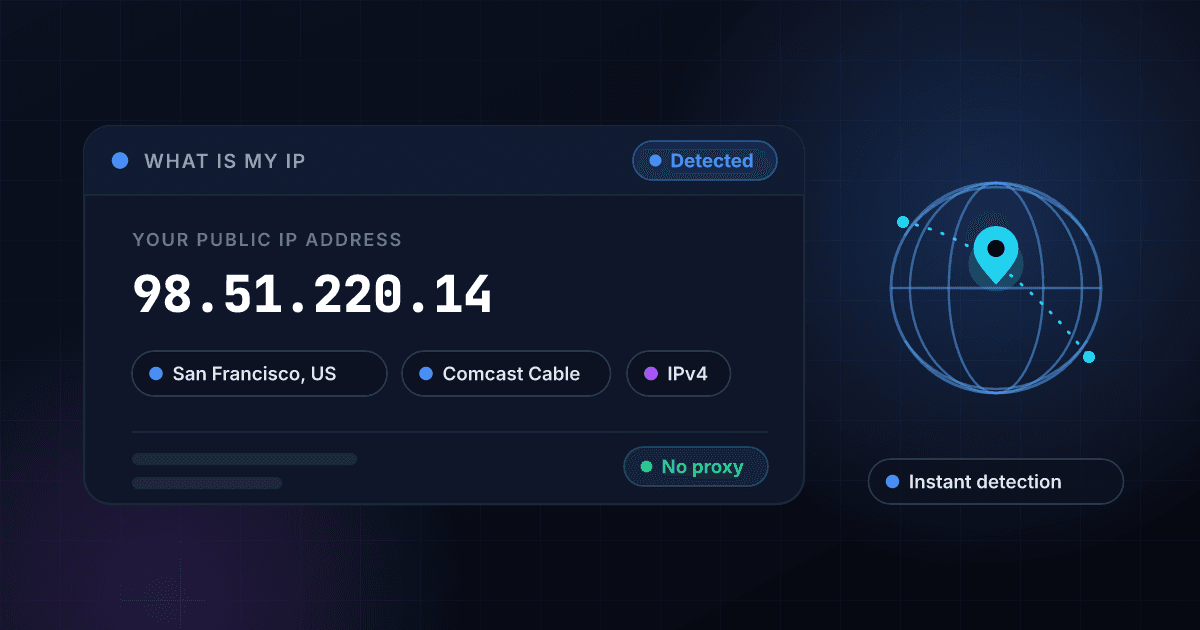
Find Out What Your IP Address Is in One Click
Wondering "what is my IP?" You're in the right place. The moment this page loads, we detect the public IP address your network presents to the internet and show it to you instantly, with no buttons to press and no signup required. Alongside your IP, you'll see your approximate location (city, region, country), the ISP or organization behind it, and your connection type. It's the fastest way to find your IP and understand what websites see when you visit them.
Your public IP address is the unique number that identifies your home or office network on the internet. Every site you load, every game server you join, and every email you send carries this address. Checking it is useful for troubleshooting connection problems, confirming a VPN is working, setting up remote access, or simply satisfying your curiosity about what your IP location actually reveals about you.
We built this tool to be genuinely respectful of your privacy. We don't store, log, or sell your IP address; it's a quick, one-time lookup powered by 1Lookup's IP intelligence engine. You can also paste a different IP into the box to check it instead of your own. When you need more, signing up unlocks VPN and proxy detection plus fraud scoring, and our API delivers the same data at bulk scale for developers.
What can an IP address actually tell you?
Your IP reveals more than an address: country, region, city, timezone, network operator and whether the connection is a proxy or VPN. For what each of those fields means and how reliable it is, read our IP geolocation API guide.
How This What-Is-My-IP Tool Works
We detect your IP automatically
As soon as the page loads, we read the public IP address your connection presents to the internet. There's nothing to type; your IP appears at the top right away, exactly as websites and online services see it.
We enrich it with location and ISP data
1Lookup's IP intelligence matches your address to its approximate city, region, and country, then identifies the ISP or organization that owns the IP block and the connection type behind it.
Review your results or look up another IP
Read your details on screen in plain language. Want to check a different address? Paste any IP into the box and run a lookup. Sign up free to reveal VPN, proxy, and fraud signals too.
Instant auto-detection
No clicks, no waiting. Your public IP address is detected and displayed the second the page loads, so you get an answer to "what's my IP" faster than a search.
Location and ISP details
Go beyond the number. See your approximate city, region, and country, plus the ISP or organization that owns your IP and the type of connection you're on.
Look up any IP, not just your own
The detection is automatic, but the box is editable. Paste any IPv4 or IPv6 address to check its location, ISP, and connection details on demand.
Private and respectful by design
We don't store, log, or sell your IP address. It's a one-time lookup, powered by the same trusted 1Lookup IP intelligence that fuels our enterprise verification API.
Who uses this tool
Confirm your VPN is working
Turn on your VPN, refresh this page, and check whether your IP and location have changed to the server's. It's the simplest way to verify your VPN is actually masking your real address.
Troubleshoot network and connection issues
Support agents, IT teams, and ISPs often ask for your public IP when diagnosing problems. Find it here in seconds so you can share the right address and speed up the fix.
Set up remote access and gaming
Hosting a game server, configuring port forwarding, or whitelisting your address for remote work? You need your current public IP, so grab it here before you start the setup.
Check what sites and services see
Curious how much your IP reveals? See the approximate location and ISP that advertisers, websites, and online services associate with your connection every day.
Frequently asked questions
What is my IP address?
Your IP address is the unique number that identifies your network on the internet. This tool shows your public IP, the address your router presents to every website and service you connect to. We detect it automatically when the page loads, so the number you see at the top is your current public IP, no typing required.
What is the difference between a public and private IP?
A public IP is the single address your whole network uses to reach the internet, assigned by your ISP and visible to websites. A private IP is the local address your router gives each device at home (like 192.168.x.x), used only inside your network. This tool shows your public IP, the one the outside world sees.
Does my IP address show my exact location?
No. IP geolocation gives an approximate area, usually your city or region, not your street address or GPS coordinates. The location often reflects your ISP's nearest hub rather than your home. It's accurate enough for things like content regions and fraud checks, but it cannot pinpoint exactly where you are sitting.
How do I hide my IP address?
The most common way is to use a VPN, which routes your traffic through another server so sites see that server's IP instead of yours. Proxies and the Tor network work similarly. After connecting, refresh this page to confirm your displayed IP and location have changed to the new server's details.
Why is my IP different from another tool or my device settings?
Your device's network settings usually show your private (local) IP, while this tool shows your public IP. They're different by design. Your public IP can also change if your ISP assigns dynamic addresses, if you switch networks, or if a VPN or proxy is active on your connection.
Is it safe to check my IP address here?
Yes. Knowing your own IP poses no risk, and we treat it carefully: we don't store, log, or sell it. This is a quick, one-time lookup powered by 1Lookup's IP intelligence. Your public IP is already visible to every website you visit, so seeing it here exposes nothing new.
Can I look up an IP address other than my own?
Yes. The tool auto-detects your IP, but the input box is editable. Paste any IPv4 or IPv6 address to see its approximate location, ISP, and connection type. For VPN, proxy, and fraud-risk detection on any IP, sign up free for 1,000 lookups or use the 1Lookup API for bulk checks.