This free YouTube channel viewer shows any channel's subscriber count without an account.
A YouTube subscriber count checker shows a channel's numbers without opening YouTube or signing in. Enter a channel's handle (the @name in its address) and 1Lookup's free channel viewer returns the channel name, description, subscriber count, number of videos published and whether the channel has YouTube's verification badge. It reads the channel's public page, so hidden subscriber counts stay hidden.
- No YouTube account needed
- Public channels only
- Free to try, no sign-up
Free & rate-limited. No signup required to try.
Example resultThis is a real lookup we captured on 2026-09-17 for mrbeast. Run any lookup above and it is replaced with yours.
MrBeast
@MrBeast
SUBSCRIBE FOR A COOKIE! New MrBeast or MrBeast Gaming video every single Saturday at noon eastern time! Accomplishments: - Raised $20,000,000 To Plant 20,000,000 Trees - Removed 30,000,000 pounds of trash from the ocean - Helped 2,000 people walk again - Helped 1,000 blind people see - Helped 1,000…
- 517,000,000
- Subscribers
- 1,001
- Videos
YouTube publishes subscriber counts abbreviated (15.1M, not the exact figure), so a big number here carries YouTube's rounding and the exact count is somewhere near it.
Need this at scale? Social Profile Check API
Pull subscriber and video counts for a whole list of channels in one bulk job, charged only for the handles that exist.
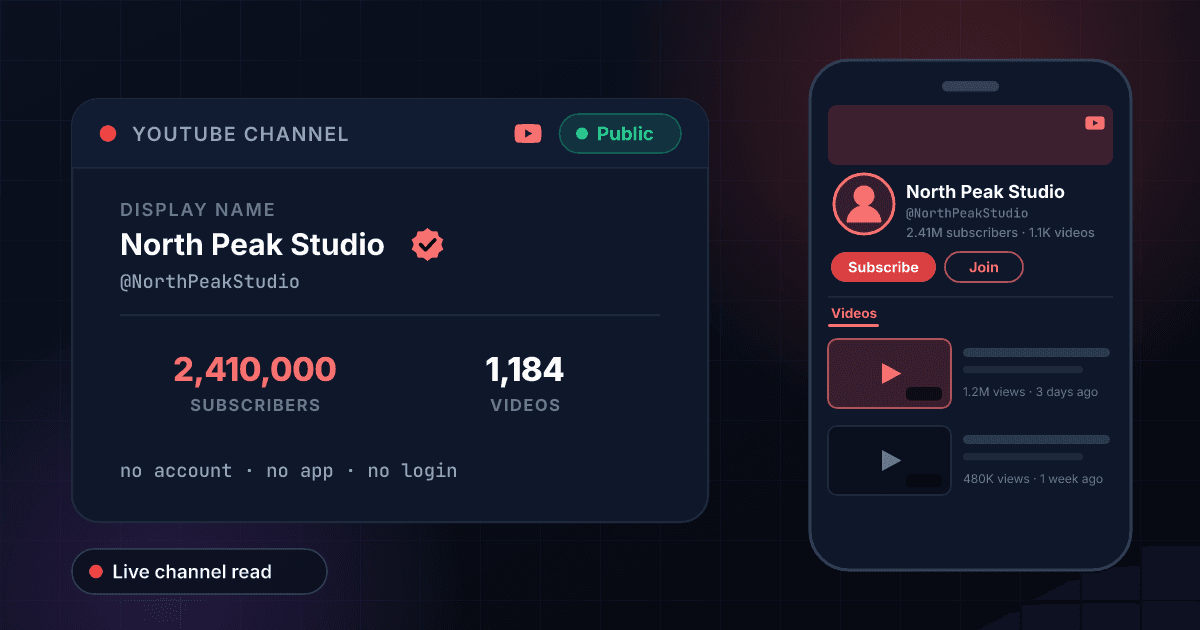
How to check a YouTube channel's subscriber count
YouTube shows a channel's subscriber count on the channel page, but it has rounded the public figure since 2019: a channel with 15,133,000 subscribers shows as 15.1M, and the exact number is visible only to the channel owner in YouTube Studio. Most people who look for a YouTube subscriber counter want that number without hunting through the channel page, the About tab and the video grid to assemble it. Type a handle into the box above and you get the channel name, the subscriber count, how many videos the channel has published and whether it carries the verification badge, in one result.
Read the two counts together. Subscribers against video count separates the channel that went viral once from the channel that publishes every week: 2 million subscribers on 30 videos is a moment, the same audience on 1,500 videos is a working channel, and a sponsor pays for the second kind. When we looked up @NASA on 17 September 2026 the lookup returned 15,100,000 subscribers and 6,176 videos, with the verification badge, which reads as exactly what it is: a long-running channel with a large, earned audience.
The verification badge means more on YouTube than on some other networks. YouTube grants it only to channels with at least 100,000 subscribers that it has checked are authentic and complete, and it cannot be bought, so a badge is a reliable sign that the handle you typed is the real channel rather than one of the copies that appear around any big name. Music artists get a music-note badge instead, which this lookup reports the same way.
What this tool will not do: it does not play videos, show view counts or watch time, list subscribers, or reveal a subscriber count the channel owner has chosen to hide. YouTube lets any channel hide its count, and when one has, the result says so instead of showing a zero. It also does not show revenue; a subscriber count is an input to an estimate, not an estimate, and the YouTube money calculator linked below does that arithmetic properly.
From a subscriber count to an earnings estimate
Subscribers set the ceiling on how many people a video can reach; what a channel earns depends on the views it actually gets and the advertisers bidding on them. Take the count returned above, add a typical video's views, and see what the range looks like in the YouTube money calculator. If a channel lists a contact email, you can see who the address belongs to with our free reverse email lookup.
How to check a YouTube channel in three steps
Copy the handle
Every YouTube channel has a handle, the @name in its address, as in youtube.com/@NASA. Type it with or without the @, or paste the channel link and we pull the handle out of it, including the older youtube.com/c/name and youtube.com/user/name forms. The channel's display name is not unique and will not work.
We read the public channel page
The lookup fetches the channel's public page, the one anybody can open without signing in, and reads the subscriber count, the video count and the badge off it. Nothing is estimated, and no YouTube or Google account of yours is involved at any point.
Read the counts together
Subscribers show reach, the video count shows whether the channel earned that reach one upload at a time, and the badge shows YouTube checked who runs it. Create a free account when you also want a whole list of channels checked at once.
What this viewer shows, next to the YouTube channel page
What you can read here without a YouTube account, set against what the channel page itself shows. The left column is what our lookup returned for public channels on 17 September 2026.
| What you want to see | This viewer | YouTube channel page |
|---|---|---|
| Subscriber count | Yes, as YouTube publishes it | Yes, rounded to three figures (15.1M) |
| Number of videos | Yes | Yes, rounded (6.1K videos) |
| Verification badge | Yes | Yes |
| Channel description | Yes | Yes, on the About tab |
| View counts and watch time | No | Total views on the About tab |
| The videos themselves | No | Yes |
| Who subscribes | No | No, subscriber lists are private |
| A hidden subscriber count | Reported as hidden | Not shown |
| Needs a YouTube account | No | No |
YouTube subscriber counts that change what a channel can do
The subscriber thresholds YouTube itself ties features and badges to, as its Help Center describes them. Each comes with other conditions.
| Subscribers | What YouTube ties to it | Other conditions YouTube sets |
|---|---|---|
| 500 or more | Entry to the YouTube Partner Program for fan funding features such as channel memberships and Super Thanks | 3 public uploads in the last 90 days, plus 3,000 public watch hours in 12 months or 3 million public Shorts views in 90 days |
| 1,000 or more | Full YouTube Partner Program, including ad revenue | 4,000 public watch hours in the last 12 months, or 10 million public Shorts views in the last 90 days |
| 100,000 or more | Eligible for the verification badge, and the Silver Creator Award | An authentic, complete channel; YouTube reviews before granting the badge |
| 1,000,000 or more | Gold Creator Award | Channel in good standing |
| 10,000,000 or more | Diamond Creator Award | Channel in good standing |
YouTube handle rules
Why a lookup can miss: the rules YouTube's Help Center sets for handles, which are what this tool searches on.
| Rule | What YouTube allows |
|---|---|
| Length | 3 to 30 characters |
| Characters | Letters, numbers, underscores, hyphens and periods |
| Uniqueness | One handle per channel, and no two channels share one |
| Case | Not significant: @nasa and @NASA are the same channel |
| Channel name | Not unique, not what this tool searches |
No YouTube account, no sign-in
There is nothing to install and nothing to connect. The lookup never signs in to YouTube as you, so you do not need a Google account and nothing you look up is attached to one.
Subscribers and videos in one view
Both counts come back together, which is the only way the ratio means anything. A channel with 500,000 subscribers on 20 videos and one with 500,000 on 2,000 videos are different businesses, and you cannot tell them apart from a subscriber count alone.
The badge YouTube actually checks
YouTube grants its verification badge only to channels past 100,000 subscribers that it has reviewed, and does not sell it. The result tells you plainly whether the handle you typed has it, which is the quickest way to pick the real channel out of a search full of lookalikes.
A hidden count is reported, not faked
YouTube lets a channel hide its subscriber count. When one has, the result says so rather than showing zero, so you never mistake a large channel with a private count for an empty one.
Who uses this tool
Vetting a channel before a sponsorship
A media kit is a screenshot, and screenshots age. Check the live subscriber count and the video count before you agree a fee, and ask questions when 800,000 subscribers sit on 15 uploads.
Finding the real channel among the copies
Search YouTube for a big creator and several channels use the name and the logo. Look up the handle you were given: the verification badge and a subscriber count in the millions mark the real one, and a copy made last month has neither.
Tracking a channel you do not own
Competitors, clients and creators you might work with all have channels you cannot see inside. A lookup every few weeks, noted down, gives you the trend YouTube only shows the channel's owner.
Screening YouTube handles in applications
Creator programs, affiliate schemes and press lists ask applicants for a YouTube handle. One lookup shows whether it exists, how big it is and how much it has published, before anyone approves the application.
Frequently asked questions
Can I see the channel description and picture?
The channel description comes back with the counts, as the About tab shows it. The channel picture is shown when the lookup returns one, which it does not for every channel; when it does, it is loaded from YouTube's own servers and opens full size in a new tab.
How do I see a YouTube channel's subscriber count?
Enter the channel's handle, the @name in its address, into the box on this page. The subscriber count comes back with the video count and the verification badge, so you read the number in context. You do not need a YouTube account, the app or a 1Lookup account.
Is the subscriber count exact?
It is as exact as YouTube publishes it. Since 2019 YouTube has shown public subscriber counts rounded to three figures, so a channel with 15,133,000 subscribers appears as 15.1M and comes back here as 15,100,000. Only the channel owner sees the exact figure, in YouTube Studio. Smaller channels, under 1,000 subscribers, are shown exactly.
Why does the result say the subscriber count is hidden?
Because the channel owner turned off the setting that shows it. YouTube lets any channel hide its subscriber count from the public, and when one has, there is no number to read. The channel still exists and its videos are still public; only the count is private.
What does the verification badge on YouTube mean?
That YouTube reviewed the channel and confirmed it is the authentic channel of the creator, brand or organisation it represents. A channel can apply once it has 100,000 subscribers and is complete and active; YouTube grants the badge after review and does not sell it. Official music artists get a music-note badge instead.
Can I see who subscribes to a channel?
No. YouTube keeps subscriber lists private, even from other channels, and this viewer shows the count only. Video view counts, watch time and revenue are not returned either.
Will the channel owner know I looked?
No. The lookup reads the channel's public page and never signs in to YouTube, so there is no view, subscription or notification of any kind.
Can I use a channel ID or an old channel URL?
Paste the handle link (youtube.com/@name) for the most reliable result. The older youtube.com/c/name and youtube.com/user/name links usually work too, because we pull the name out of them. A raw channel ID (the UC... string) is not a handle and may not resolve.
Why did my lookup return nothing?
Usually the handle is wrong. A channel's display name is not its handle, and handles can be changed, so an old one can stop working. Open the channel on YouTube and copy the @name from the address bar. If the channel was terminated or deleted, there is no public page left to read.
How fresh are the numbers?
A handle nobody has checked here in the past seven days is read live. If it was looked up in the last seven days, you get that earlier read instead, so a number can be up to a week old.
How many channels can I check for free?
Five a day from one IP address on this tool, with a short pause between lookups, and 15 a day across all the free tools on the site. The free tools also share a daily budget, so on a busy day a lookup can be refused until midnight UTC. A 7-day free trial adds the paid check and CSV upload for whole lists. Each paid check costs 10 credits and is charged only when the profile exists, so the Starter plan's trial covers about 100 profiles.
Is this tool made by YouTube?
No. 1Lookup is not affiliated with, endorsed by or sponsored by YouTube or Google. The tool reads information that YouTube already publishes on each channel's public page.