Free Instagram Followers & Profile Viewer
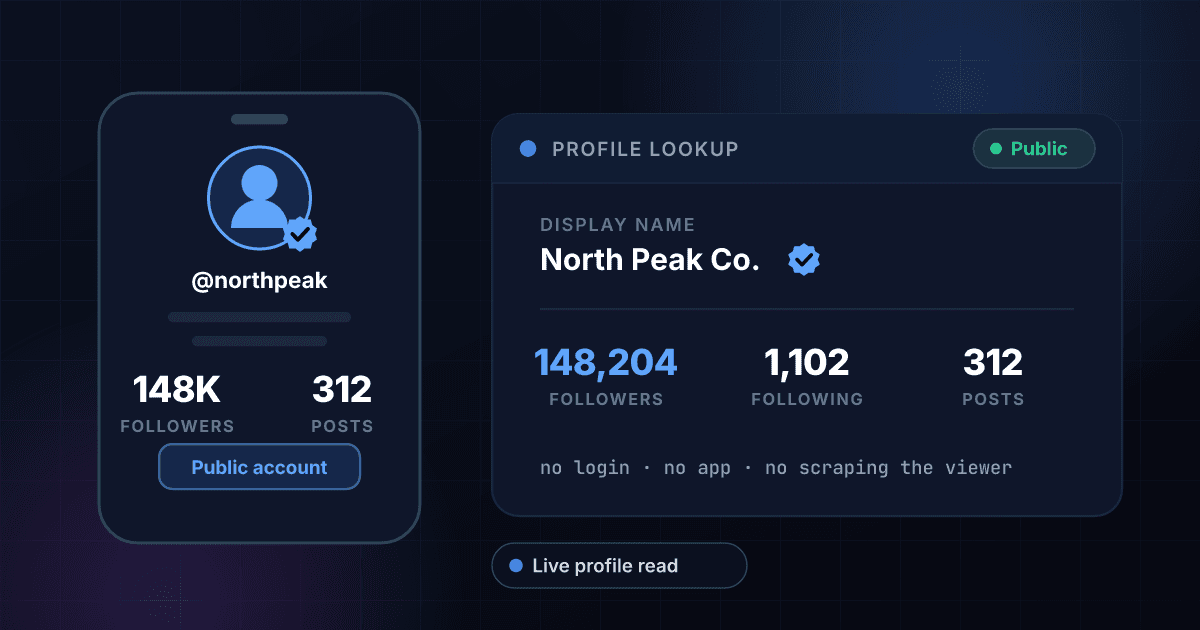
An Instagram profile viewer shows you a public account's profile without opening the app or signing in. 1Lookup's free Instagram followers viewer takes a username and returns the profile picture, display name, bio, follower count, following count, post count, verified badge and whether the account is private, in one result, with no login and nothing recorded on the account.
Example resultThis is a real lookup we captured on 2026-09-17 for instagram. Run any lookup above and it is replaced with yours.

Discover what's new on Instagram 🔎✨
help.instagram.com
- 686,616,152
- Followers
- 292
- Following
- 12
- Posts
See the engagement rate and business account flag
The free result is the public profile as Instagram shows it: picture, name, bio, link in bio, followers, following, posts, verified and the private flag. A free account adds the fields behind it, the engagement rate and the business or creator account flag, plus 1,000 lookups and CSV upload so you can check a whole list of handles at once.
This tool reads public Instagram profile information only. It is not a private account viewer, not a story or post viewer, and not an anonymous tracking tool, and we will not build those. It returns no email addresses, no contact details, no audience demographics, and no follower history. Do not use it to monitor, profile, or harass an individual. Instagram is a trademark of Meta Platforms, Inc. 1Lookup is not affiliated with, endorsed by, or sponsored by Instagram or Meta.
Need this at scale? Social Profile Check API
The same profile data for ten networks, in bulk, with no charge for handles that turn out not to exist.
How to look up a public Instagram profile without an account
Most people reach for an Instagram profile viewer for one reason: they want the numbers on an account and they do not want to log in to get them. Maybe you deleted the app. Maybe you are checking a creator before you pay them. Maybe someone sent you a handle and you want to know if it is a real account or a shell with forty followers. Type the username into the box above and you get the profile picture, display name, bio, follower count, following count, post count, and the verified badge back.
The numbers are worth reading together, not one at a time. An account following 6,000 people to get 5,000 followers is buying attention, not earning it; a creator with 80,000 followers who follows 300 back is the opposite. Post count tells you whether the account is alive: 12 posts against 50,000 followers usually means bought or dormant. The verified badge confirms Instagram checked the identity behind the account, which matters when a brand or a public figure has half a dozen lookalike handles. Ratio, volume, and verification together tell you more than any single figure.
Now the part most pages in this category will not say out loud. This is not a private account viewer. It is not a story viewer. It cannot show you posts, DMs, or anything an account has chosen to hide, and no tool claiming otherwise is telling you the truth. If the handle you enter is private, the result tells you it is private and stops there. If the account is deleted or restricted you get a clean not-found rather than a half-filled record. If you came here to watch someone quietly, this is the wrong tool.
A follower count on its own says little
Followers are the input, not the answer: what decides whether a paid post is worth it is how many of those followers react. Take the count returned above, add the likes and comments on a recent post, and work out the rate in the engagement rate calculator.
How to check an Instagram profile in three steps
Enter the username
Type the handle: natgeo, or the kind with dots and underscores in it. The @ is optional and a full instagram.com profile link works too, we pull the handle out of it. What will not work is the display name, since only the handle after instagram.com/ is unique.
We read the public profile
The lookup opens the account's public profile the same way a logged-out visitor would and reads what is on it. Nothing is guessed and nothing is inferred from other sources. What comes back is what the profile itself showed on the most recent read.
Read the numbers together
You get display name, followers, following, posts, the verified badge, and the private flag. Read them as a set: ratio for quality, post count for activity, badge for identity. Sign up for a free account when you want the engagement rate, the business account flag, or a whole list checked at once.
No login, no app, no account
You do not need an Instagram account to use this. There is nothing to install and nothing to connect. Type a handle in a browser tab and read the result, which is the whole point if you deleted the app or never had it.
Follower and following in one view
Both counts come back together, which is the only way the ratio means anything. A 1:1 follower-to-following account behaves very differently from a 200:1 one, and you cannot tell them apart from a follower count alone.
The verified badge, checked
Impersonation accounts copy the display name, the profile picture, and even the bio. The one thing they cannot copy is the badge. The result tells you plainly whether the handle you typed carries Instagram's verification, so you can spot the fake among five near-identical handles.
A private flag, not a private bypass
If an account is locked, the result says private and that is where it ends. We treat that as a feature. You learn the account exists and is closed, which is often the answer you actually needed, without anything being pried open.
Who uses this tool
Sizing up an account that just pitched you
A message lands from a handle you have never heard of. One lookup tells you whether it is an account with 80,000 followers and 900 posts or a two-week-old shell, before you spend twenty minutes writing back.
Confirming an account is the real one
Someone sends you a handle and says it is the official brand page. Check the verified badge and the follower count against what you would expect. A knockoff with 900 followers and no badge announces itself in one lookup.
Seeing your own profile signed out
Creators sometimes want the profile as a stranger sees it, without the app's own dashboard in the way. Enter your own handle and read the counts a visitor would read, from a browser tab, with nothing logged in.
Screening a handle on a signup form
If your product collects an Instagram handle at registration, a lookup tells you whether it resolves to a real account at all. Empty results and 12-follower shells are a useful early signal on which accounts deserve a manual review.
Frequently asked questions
Can I see the profile picture and bio?
Yes. The result shows the profile picture, the bio and the link in bio exactly as the public profile shows them, next to the counts. The picture is loaded from Instagram's own servers, so it is the current one, and it opens full size in a new tab.
Can I view an Instagram profile without an account?
Yes, for public accounts. Instagram shows a public profile's name, follower count, following count, post count, and verified badge to anyone, signed in or not, and that is what this tool returns. You do not need to register with Instagram, install the app, or create a 1Lookup account to run a lookup here.
Can I see a private Instagram account with this?
No, and you should not trust anything that says it can. A private account's posts, stories, and follower list are hidden by Instagram itself, so there is nothing to read. Enter a private handle here and the result reports that the account is private. If you want in, send a follow request like everyone else.
Can I watch Instagram stories anonymously with this tool?
No. This is not a story viewer and never will be. It reads the profile page, which is where the counts live, and stories are not on it. Tools promising anonymous story viewing usually want your Instagram login, which is a bad trade for a feature you can get by muting someone.
Will the account owner know I looked them up?
No. Nothing is sent to the account and no interaction is created. There is no follow, no view, no like, and no notification of any kind, because the lookup reads a page rather than acting inside Instagram. That said, this is a stats tool, not a surveillance product, and it is not built for tracking a specific person.
How do I check someone's Instagram follower count?
Type their handle into the box on this page and press the button. The follower count comes back alongside the following count, the post count, and the verified badge, so you can read the number in context instead of on its own.
Why is the follower count the same as when I checked earlier?
Because a repeat lookup on the same handle inside seven days is served from cache rather than read again. That keeps the tool fast, but it means a number you checked this morning may not have moved by tonight even if the real count did. On most accounts follower counts move slowly anyway.
Does it show follower growth over time or engagement rate?
No. You get the counts as they stand right now, not a history and not a chart, and no engagement rate. There is no stored trend to compare against last month, and the tool does not read likes or comments on posts. If you need a trend line, you would have to record the numbers yourself over time.
Why did my lookup return nothing?
Usually the handle is wrong. Instagram usernames change often, and a display name is not a handle: you need the string after instagram.com/, or just paste the whole profile link and we will pull it out. Beyond that, if the account was deleted, deactivated or restricted, there is no public profile left to read and the result comes back empty.
How many Instagram profiles can I check for free?
Five per day from one IP address on this tool, with a short pause between lookups, and 15 a day across every free tool on the site. A free 1Lookup account lifts that to 1,000 lookups on a 7-day trial and adds CSV upload, which is the practical route if you have a list of handles rather than one.
Related Instagram profile searches
More free tools
Username Checker
See whether a username is already taken on ten networks.
TikTok Profile Viewer
Followers, following, videos and verified status for any public TikTok account.
X Profile Viewer
Followers, following, post count and the blue checkmark for any public X (Twitter) account.
YouTube Channel Viewer
Subscriber count, video count and the verification badge for any YouTube channel.