This Twitter scraper API returns up to 20 X posts for any keyword
Send a keyword, a phrase or an X search query and get back up to 20 matching X (Twitter) posts, each with its text, author, follower count, likes, reposts, replies, views and link. 15 credits per search that finds posts.
15
Credits per search that finds posts
about $0.07 on Starter
0
Credits when nothing matches
no posts, no charge
20
Posts per search
newest or most popular first
15 min
Repeat searches are free
served from cache
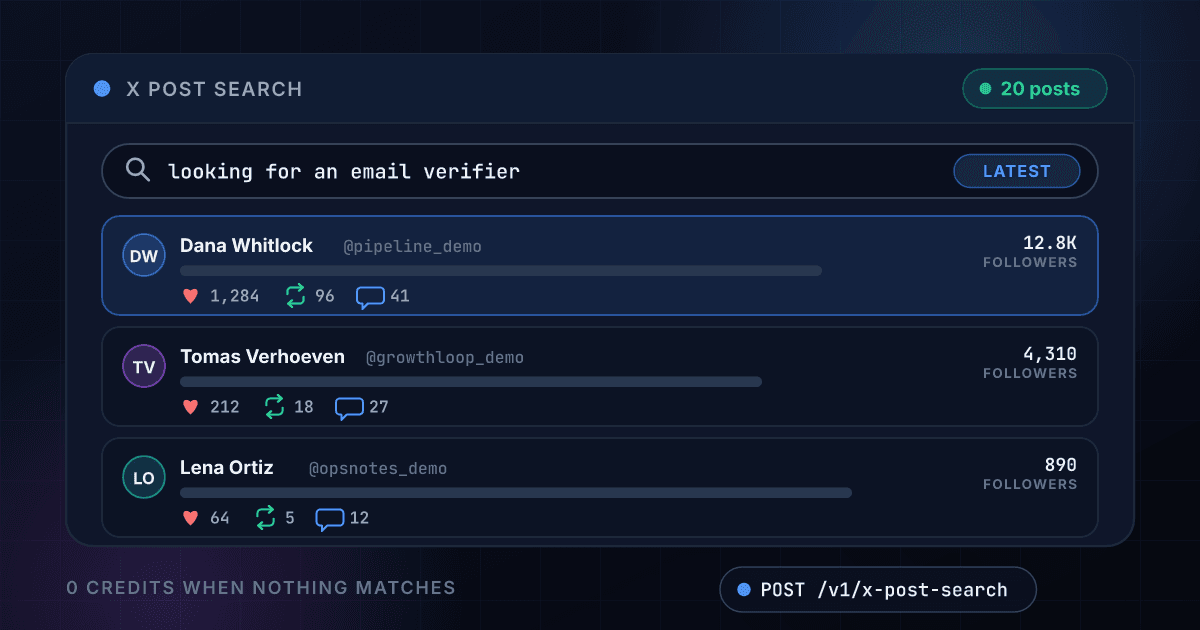
A search for a buyer's question comes back as a table of posts, authors and engagement
Each row is one post with the numbers your code receives, here for a search of looking for an email verifier. The same fields come back as JSON in the API response below.
- Posts returned
- 20
- Newest post
- 2026-10-20 11:42
- Top post likes
- 214
- Credits used
- 15
Dana Whitlock
@pipeline_demo
12.8K followers
Looking for an email verifier that handles catch-all domains properly. What is everyone using right now?
- 38
- 4
- 22
- 6.1K
Tomas Verhoeven
@growthloop_demo
4,310 followers
Our bounce rate jumped to 6% after the last import. Need an email verifier we can run before every send.
- 12
- 1
- 9
- 2.4K
Lena Ortiz
@opsnotes_demo
890 followers
Does anyone know an affordable email verifier with an API? Checking about 5k addresses a week.
- 6
- 0
- 4
- 980
Marcus Bell
@coldoutbound_demo
22.1K followers
Hot take: if you are not running an email verifier on every new lead, you are paying to land in spam.
- 214
- 31
- 18
- 41.2K
Sofia Brandt
@salesstack_demo
7,720 followers
Switching our SDR team to a new email verifier next week. Will share the bounce numbers.
- 27
- 2
- 11
- 5.3K
Kenji Aoki
@founderlog_demo
1,540 followers
Any email verifier recommendations for a Shopify store with 30k subscribers?
- 9
- 0
- 14
- 2.0K
14 more posts in the same response, 15 credits for all 20
Every post arrives as one flat record with its author, its reach and its engagement
Any keyword, phrase or X search query returns matching posts
Type what a person would type into the X search box, or add operators such as from:handle and lang:en, up to 200 characters.
- Keywords and whole phrases
- Operators such as from:handle
- Newest first or most popular first
Every post arrives with the account that wrote it
The author's handle, display name, follower count, bio, location and verified flag come back with each post, so you can rank posts by reach.
- Handle and display name
- Followers and following
- Bio and verified flag
Likes, reposts, replies, quotes and views come back as numbers
Each count is a plain integer, so your code can sort, filter and add them up without parsing anything.
- Likes, reposts, replies and quotes
- Bookmarks and views where X shows them
- A link to every post
A search that finds nothing costs nothing
You are charged 15 credits only when at least one post comes back. An empty search, an error and a timeout all cost 0 credits.
- No posts, no charge
- Errors are never billed
- Repeat searches within 15 minutes are free
There is no scraper to build and no X developer account to apply for
You send a request with your 1Lookup API key. There is no X login to manage, no proxy to rent and no script to keep running.
- One API key for every product
- The same JSON shape every time
- Works from code, a CSV upload or the dashboard
Each search is summarized so you can read it at a glance
Beside the posts you get the post count, the newest and oldest post times, the most-liked post and the list of authors.
- Newest and oldest post times
- Most-liked post and its link
- Every author in one list
A keyword goes in and 20 posts with their authors come out
You send a keyword or an X search query and nothing else
POST the search, and add sort: top if you want the most popular posts instead of the newest. The query can be up to 200 characters.
$ POST /api/v1/x-post-search
"query": "looking for an email verifier"
"sort": "latest"
We search X (Twitter) live and keep the 20 best matches
The search runs when you ask, so the posts are current. A search that finds nothing is not billed.
Query checked and cleaned
X (Twitter) searched live
Posts and authors structured
Follower counts attached
You get the posts back as one JSON record
Text, author, followers, likes, reposts, replies, views and a link for each post, plus a summary of the whole search.
posts20
top post likes214
newest11:42 UTC
One endpoint turns a keyword into posts and works like every other 1Lookup call
Same authentication, same credit balance, and the same response envelope as every other 1Lookup product. If you have already integrated one endpoint, this one is a URL change.
curl -X POST https://app.1lookup.io/api/v1/x-post-search \
  -H "Authorization: Bearer $API_KEY" \
  -H "Content-Type: application/json" \
  -d '{ "query": "looking for an email verifier", "sort": "latest" }'

# operators work too, and "sort" can be "top"
# -d '{ "query": "from:tallowmere_demo lang:en" }'{
"success": true,
"data": {
"classification": {
"matched": true,
"result_count": 20,
"query": "looking for an email verifier",
"sort": "latest",
"newest_post_at": "2026-10-20T11:42:08.000Z",
"oldest_post_at": "2026-10-20T09:51:30.000Z",
"top_post_author": "coldoutbound_demo",
"top_post_likes": 214
},
"insights": {
"x_post_search_result": {
"posts": [
{
"url": "https://x.com/pipeline_demo/status/1900000000000000101",
"text": "Looking for an email verifier that handles catch-all domains properly.",
"posted_at": "2026-10-20T11:42:08.000Z",
"likes": 38,
"reposts": 4,
"replies": 22,
"views": 6100,
"author": {
"handle": "pipeline_demo",
"name": "Dana Whitlock",
"followers": 12840,
"verified": true
}
}
]
}
},
"metadata": { "credits_used": 15, "cache_hit": false }
}
}A column of searches goes in and one summary row per search comes out
Upload a CSV with a query column and download a result file with the post count, the newest and oldest post, the most-liked post and the authors for every search.
- 1query
- 2looking for an email verifier
- 3from:tallowmere_demo lang:en
- 4cold email bounce rate
| query | Status | Posts Returned | Top Post Likes | Credits Used |
|---|---|---|---|---|
| looking for an email verifier | Success | 20 | 214 | 15 |
| from:tallowmere_demo lang:en | Success | 20 | 1180 | 15 |
| cold email bounce rate | Success | 18 | 96 | 15 |
Eight more columns in the file, among them Top Post Author, Top Post Text, Top Post URL and Post URLs.
One row in, one summary row out
Every search becomes one row, so a list of 500 searches is a spreadsheet of 500 rows you can sort and filter.
The full posts are in the JSON export
The CSV carries the summary and the lists of authors and links. Every post, with all its counts, is in the JSON file for the same job.
A search with no posts costs 0 credits
The price stays at 15 credits per search that returns posts, however long the list is.
Every post comes back with the same fields at one flat price
A count X does not show for a post comes back as null, never as a guess, and every field costs the same 15 credits.
It returns the post itself
- id
- url
- text
- posted_at
- language
It counts the engagement on each post
- likes
- reposts
- replies
- quotes
- bookmarks
- views
It names the author of each post
- author.handle
- author.name
- author.url
- author.verified
- author.bio
- author.location
It sizes the author's reach
- author.followers
- author.following
It flags what kind of post each one is
- is_reply
- is_repost
- is_quote
- is_pinned
- in_reply_to
It summarizes the whole search
- result_count
- newest_post_at
- oldest_post_at
- top_post_author
- top_post_likes
- top_post_url
- post_authors[]
Sales teams, brand teams, researchers and agencies search X instead of scrolling it
Sales teams find people who are asking for a product like theirs
Search the question a buyer would type, such as looking for an email verifier, and read the author, follower count and link on each post. The posts worth answering are the ones with a real question, and the link takes you straight to them.
Brand and competitor teams see what is being said about them right now
Search your brand name or a competitor's, sorted by latest or by top, and track the likes, reposts and views on each post. Run the same search again after 15 minutes for a fresh read of the conversation.
Researchers and analysts pull a sample of public posts on a topic
Search a topic with lang:en or another operator, then store the text, posted time, language and engagement of each post as JSON. A CSV of topics returns one summary row per topic for a first look in a spreadsheet.
Agencies and creators shortlist the accounts that lead a topic
Sort a topic by top and rank the authors by followers and likes. The handles on the shortlist go straight into X Profile Posts to read what each account has posted lately.
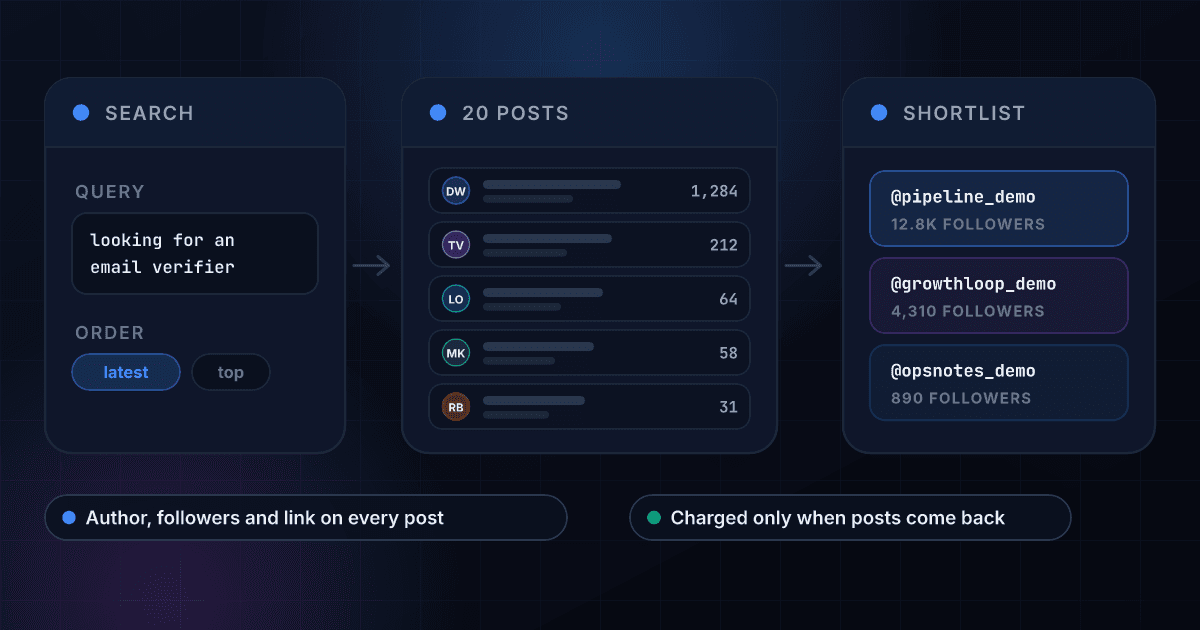
A keyword becomes 20 posts, and the posts become a short list of accounts to answer
The search returns the author, followers and link for every post, so ranking the accounts and picking the ones worth a reply takes a few lines of your own code.
These are the questions people ask before they run their first X search
What does the X Post Search API return?
Send a keyword, a phrase or an X search query and it returns up to 20 matching posts from X (Twitter). Each post carries its text, the time it was posted, the author's handle, name, follower count, bio and verified flag, its likes, reposts, replies, quotes and views where X shows them, and a link to the post. The response also summarizes the search with the post count, the newest and oldest post times and the most-liked post.
Is this a Twitter scraper, and do I need an X account or developer key?
It does the job of a tweet scraper without the scraper. You send a request with your 1Lookup API key and the posts come back as JSON. You do not need an X account, an X developer application or a proxy, and there is no script to keep running.
Is it an alternative to the X API?
For reading public posts, yes. One endpoint returns recent posts for a keyword with their authors and engagement, with no X developer account to apply for and no access tier to choose. It reads posts and does not publish, like or message, and it returns up to 20 posts per search, not a full archive.
How many posts does one search return?
Up to 20, newest first or most popular first, with no pagination. If the posts you want are not in the 20, narrow the search with an operator such as from:handle or lang:en and run it again. A narrow search can return fewer than 20 posts.
How much does an X post search cost?
15 credits per search that returns posts, about $0.07 on the Starter plan and $0.05 on Growth, so 100 searches cost about $7 and $5. You are charged only when at least one post comes back. A search with no matches, an error and a timeout cost 0 credits, in the API, the dashboard and bulk jobs.
How fresh are the results?
They are live. The search runs on X when you ask, so the posts are the ones people have just written. The same search from your organization within 15 minutes is served from cache and is free, and after 15 minutes it runs live again.
How long does a search take?
Usually 10 to 40 seconds, because the search runs live. Set your client timeout to at least 60 seconds so a slow search still returns its posts.
Which search syntax does it accept?
Anything you would type into the X search box, up to 200 characters. Operators such as from:handle and lang:en narrow a search to one account or one language, and the sort parameter, latest or top, sets the order. Latest is the default.
Can I run a list of searches at once?
Yes. Upload a CSV with a query column and you get one summary row per search: how many posts came back, the newest and oldest post times, the most-liked post with its author and link, and the list of authors. The full posts for every row are in the JSON export. Each search that returns posts costs 15 credits and every empty one is free.
How do I use it to find leads?
Search the question a buyer would ask, such as looking for an email verifier, and read the author, follower count and link on each post. The accounts worth answering are the ones with a real question and an audience. To see who else joined a conversation, pass a post's link to X Post Replies, and to read an account's recent posts use X Profile Posts.
A search is where the work starts, and these products finish it
Here is how searching X posts with 1Lookup compares with the official X API
Each page sets a rival's plans and prices beside ours and says where the rival does the job better. Every figure carries its source and the date it was checked.