This free X and Twitter viewer shows any public profile without an account.
An X profile viewer shows a public account's numbers without logging in to X, which now asks most visitors to sign in before it shows a profile. Enter an X username (the old Twitter handle) and 1Lookup's free viewer returns the profile picture, display name, bio, exact follower count, following count, post count and whether the account has X's blue checkmark. It does not show posts, replies or protected accounts.
- No X account needed
- Exact follower counts
- Free to try, no sign-up
Free & rate-limited. No signup required to try.
Example resultThis is a real lookup we captured on 2026-09-17 for nba. Run any lookup above and it is replaced with yours.

NBA
@NBA
The 2026-27 NBA season tips off Tuesday, Oct. 20 on NBC and Peacock! 🏀 3:00pm/et: Celtics/Pistons 🏀 7:00pm/et: 76ers/Knicks 🏀 9:30pm/et: Thunder/Spurs
- 47,071,698
- Followers
- 2,084
- Following
- 230,062
- Posts
The checkmark row reports X's blue checkmark only. Gold (organisation) and grey (government) checkmarks are not reported, so an organisation can show No here and still be verified on X.
See the same handle on nine other networks
The free result is the public profile as X shows it: picture, display name, bio, website, followers, following, post count and the blue checkmark. A free account adds CSV upload, so you can check a whole list of X accounts in one go instead of one handle at a time.
Need this at scale? Social Profile Check API
Check a whole list of X accounts, and the same handles on nine other networks, in one bulk job charged only for the ones that exist.
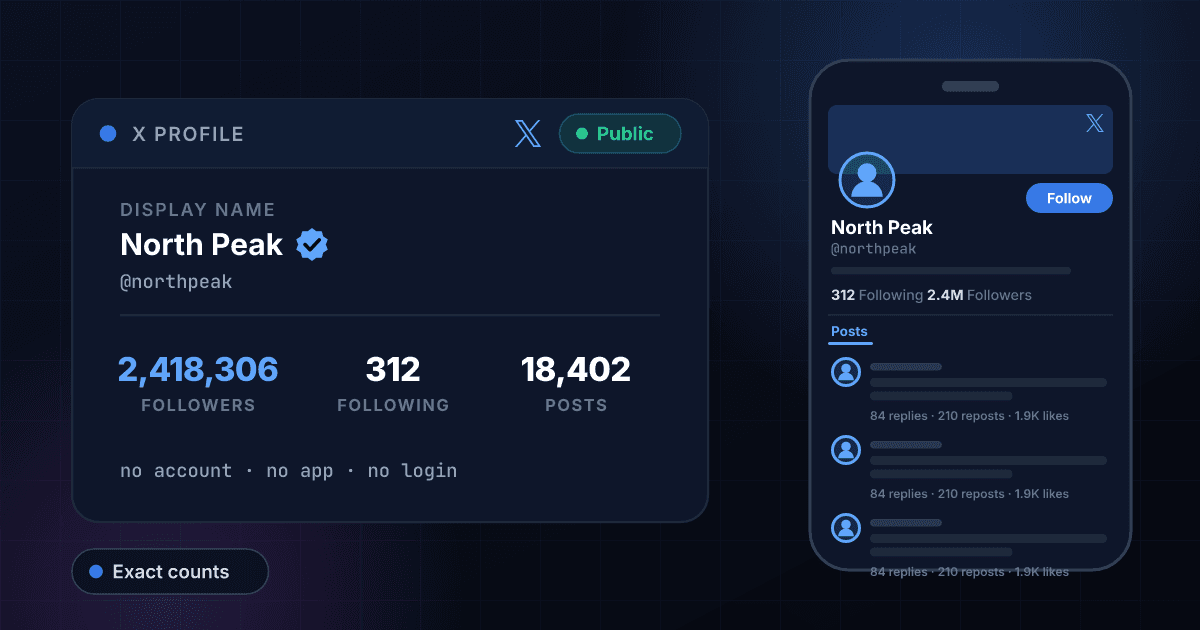
How to view an X (Twitter) profile without an account
X is the one big network that actively gets in the way of looking. Since 2023 it has put a sign-in wall in front of most of what a visitor without an account tries to open, so a profile link from an email or a news story often lands on a login screen instead of the profile. That is why so many people search for a Twitter profile viewer: they do not want an X account, they want the numbers on one. Type a username into the box above and you get the profile picture, display name, bio, follower count, following count, how many posts the account has made and whether it carries the blue checkmark, with nothing to sign in to.
The counts come back exact, not rounded. X shows a big account as 47.1M followers and 230K posts; the lookup returned 47,071,698 followers and 230,062 posts for @NBA on 17 September 2026, alongside 2,084 accounts followed. Exact numbers matter when you are comparing two accounts of similar size or tracking one over time, and X's own profile page will not give them to you.
The numbers are worth reading together. Followers against following shows how the account grew: an account following 40,000 people to reach 45,000 followers grew by follow-backs, while a creator with 200,000 followers who follows 400 people earned them. The post count against the account's age shows whether it is a working account or a shell, and the checkmark row tells you whether the account pays for X Premium, which is what the blue checkmark has meant since April 2023. It no longer means X checked who is behind the account, and this page says so rather than dressing the badge up as proof of identity.
What this tool will not do: it does not show posts, replies, likes, media or bookmarks, it does not list who follows an account or who it follows, and it cannot see inside a protected account. When an account protects its posts, X shows its counts and hides everything else from people the owner has not approved, and nothing outside X changes that. Be wary of any site that claims otherwise, and especially of one that asks for your X password.
A follower count on its own says little
Followers tell you how many people could see a post; engagement tells you how many did something about it. Take the count returned above, add the likes, reposts and replies from a few recent posts, and work out the rate in the engagement rate calculator. Have an email address rather than an X handle? To see who the address belongs to, use our free reverse email lookup.
How to check an X profile in three steps
Copy the username
On X the username is the part after the @, as in x.com/NBA. Type it with or without the @, in any capitalisation, or paste the whole profile link from x.com or twitter.com and we pull the username out of it. The display name at the top of the profile is not unique and will not work.
We read the public profile
The lookup fetches the account's public profile data, the counts X publishes for every account that is not suspended, and reads the numbers off it. Nothing is estimated, and no X account of yours is involved at any point, which is why there is nothing to sign in to.
Read the counts together
Followers against following shows how the account grew. Post count shows whether it is active. The checkmark row shows whether it has a blue checkmark, and the note under the result explains what that does and does not mean. Create a free account when you also want a whole list of handles checked at once.
What this viewer shows, next to X signed in
What you can read here without an X account, set against what X shows a signed-in user. The left column is what our lookup returned for public accounts on 17 September 2026.
| What you want to see | This viewer | X, signed in |
|---|---|---|
| Follower count | Yes, exact | Yes, rounded past 10,000 |
| Following count | Yes, exact | Yes, rounded past 10,000 |
| Post count | Yes, exact | Yes, rounded |
| Blue checkmark | Yes | Yes, with gold and grey too |
| Profile picture, bio and website link | Yes | Yes |
| The posts themselves | No | Yes, unless the account is protected |
| Who follows the account | No | Yes |
| Protected accounts | Counts only | Counts only, unless the owner approved you |
| Needs an X account | No | Yes, for most profiles |
X's three checkmarks
What each checkmark colour has meant on X since the legacy blue badge was withdrawn in April 2023, as X's Help Center describes them. This viewer reports the blue one only.
| Checkmark | Who gets it | Reported here |
|---|---|---|
| Blue | Subscribers to X Premium or Premium+, plus some accounts X considers notable | Yes |
| Gold | Organisations on the paid Verified Organizations plan, and their affiliated accounts | No |
| Grey | Government and multilateral organisations and their officials | No |
X username rules
Why a lookup can miss: the rules X's Help Center sets for usernames, which are what this tool searches on.
| Rule | What X allows |
|---|---|
| Length | Up to 15 characters; new usernames must be at least 5, older accounts keep shorter ones like @NBA |
| Characters | Letters, numbers and underscores only |
| Not allowed | Spaces, periods, hyphens and the words Twitter or Admin |
| Case | Not significant: @nasa and @NASA are the same account |
| Changes | At any time, with no waiting period, so an old handle can stop working the same day |
No sign-in wall
X asks most visitors to log in before it shows a profile. This viewer never signs in to X, so there is nothing to log in to, no account to create and no app to install. Type a handle in a browser tab and read the result.
Exact counts, not 47.1M
X rounds every count past 10,000 on the profile page. The lookup returns the exact figures, which is the only way to compare two accounts of similar size or to notice that one moved by 8,000 followers since last week.
The checkmark, explained rather than sold
Since 2023 a blue checkmark on X means a paid subscription, not a checked identity. The result tells you whether the account has one, and says plainly that gold and grey checkmarks are not reported, so an organisation showing No is not being called a fake.
Protected accounts stay protected
If an account protects its posts, X still publishes its counts and this viewer shows those. The posts stay exactly as hidden as the owner chose, and no tool that claims to get past that is telling you the truth.
Who uses this tool
Reading a profile link without an X account
A news story or an email points at an X account and X wants you to sign in before it shows anything. Paste the link here and read the account's size, activity and checkmark without creating an account you do not want.
Vetting a creator before a paid post
A media kit is a screenshot, and screenshots age. Check the live follower count, the following count and the post count before you agree a fee, and ask questions when 400,000 followers sit on 30 posts.
Finding the real account among the copies
Search X for a well-known name and several accounts use it. Look up the handle you were given: a follower count in the millions and a long posting history mark the established account, and a copy made last month usually has neither.
Screening X handles in applications
Creator programs, affiliate schemes and press lists ask applicants for an X handle. One lookup shows whether it exists, how big it is and how active it is, before anyone approves the application.
Frequently asked questions
Can I see the profile picture and bio?
Yes. The result shows the profile picture, the bio and the website link as the public profile shows them, next to the counts. The picture is loaded from X's own servers, so it is the current one, and it opens full size in a new tab.
Can I view an X (Twitter) profile without an account?
Yes, for public accounts. Enter the username here and you get the display name, follower count, following count, post count and whether the account has a blue checkmark. You do not need an X account, the X app or a 1Lookup account to run a lookup.
Why does X ask me to sign in when I open a profile?
Since mid-2023 X has restricted what visitors without an account can see, and many profile and post links land on a sign-in screen instead. This viewer reads the account's public counts through a separate route, so the wall does not apply to it. It cannot show you the posts behind the wall, only the numbers.
Can I see a protected (private) X account with this?
You can see its counts, because X publishes those for protected accounts too, but not its posts. X shows a protected account's posts only to followers the owner has approved. To see them, send a follow request from X.
Can I see someone's followers or following list on X?
No. You get both counts, exact, not the names. X shows the lists themselves only to signed-in users, and only approved followers can see the lists of a protected account.
Does the blue checkmark mean the account is verified?
Not in the old sense. Since April 2023 the blue checkmark on X goes to accounts that subscribe to X Premium or Premium+, plus some accounts X considers notable, and the old identity-checked badge is gone. Gold checkmarks mark organisations on X's paid Verified Organizations plan and grey ones mark government accounts; this viewer does not report those two, so an organisation can show No here and still carry a gold checkmark on X.
Will someone know I viewed their X profile?
No. X does not tell anyone who viewed their profile, and this viewer never signs in to X as you, so there is no view of yours for X to record in the first place. Nothing is sent to the account and no follow, like or notification is created.
Can I read someone's posts here?
No. This tool reads the profile's numbers, not its posts, replies, likes or media. A public account's posts can be read on X itself, subject to X's sign-in wall, and a protected account's posts stay private whatever site you use.
Why are the counts exact here but rounded on X?
X rounds every count past 10,000 on the profile page (47.1M, 230K) but publishes the exact figure behind it, and that is what the lookup returns. Compare the two and you will see they agree once rounded.
Why did my lookup return nothing?
Usually the username is wrong. The display name is not the username, and X lets accounts change their username at any time, so an old handle can stop working the same day. Copy the part after x.com/ from the profile link instead. If the account was suspended or deleted, there is no public profile left to read.
How fresh are the numbers?
A username nobody has checked here in the past seven days is read live. If it was looked up in the last seven days, you get that earlier read instead, so a number can be up to a week old. Follower counts on established accounts rarely move much in a week; a fast-growing account's can.
How many X profiles can I check for free?
Five a day from one IP address on this tool, with a short pause between lookups, and 15 a day across all the free tools on the site. The free tools also share a daily budget, so on a busy day a lookup can be refused until midnight UTC. A 7-day free trial adds the paid check and CSV upload for whole lists. Each paid check costs 10 credits and is charged only when the profile exists, so the Starter plan's trial covers about 100 profiles.
Is this tool made by X?
No. 1Lookup is not affiliated with, endorsed by or sponsored by X Corp. The tool reads information that X already publishes for each account.
Can I search X without an account?
No. Search on x.com only works when you are signed in, and this viewer looks up one username at a time. If you know the handle, enter it above to see the profile's numbers.