This free Threads viewer shows any public Threads profile without an account.
A Threads profile viewer shows a public profile's numbers without the Threads app or an Instagram login. Enter a Threads username, which is the same as the account's Instagram username, and 1Lookup's free viewer returns the profile picture, display name, bio, follower count and whether the profile carries the verified badge. It does not show posts, replies or private profiles.
- No Threads or Instagram account needed
- Public profiles only
- Free to try, no sign-up
Free & rate-limited. No signup required to try.
Example resultThis is a real lookup we captured on 2026-09-17 for zuck. Run any lookup above and it is replaced with yours.

Need this at scale? Social Profile Check API
Check the same handle on Threads, Instagram and eight other networks, or a whole list in one bulk job.
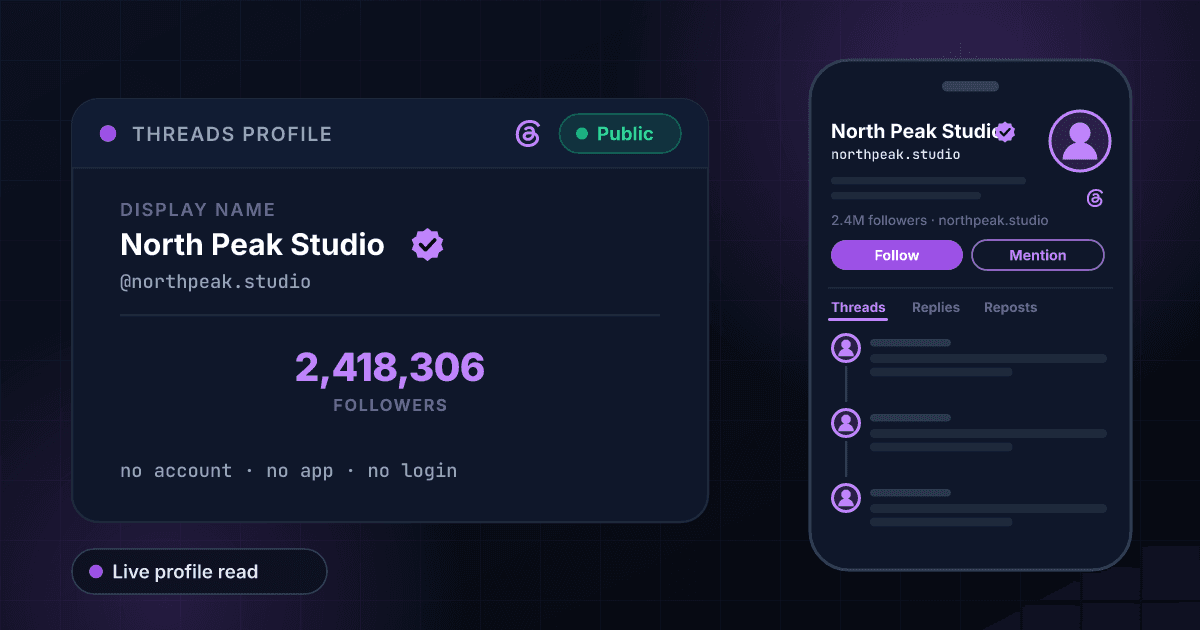
How to see a Threads profile without an account
Threads is Meta's text network, launched in July 2023 as a companion to Instagram, and every Threads profile is tied to an Instagram account with the same username. You can read public Threads profiles on the web without signing in, but the app pushes hard for a login and the web version hides the numbers behind a prompt often enough that people go looking for a Threads viewer. Type a username into the box above and you get the display name, the follower count and whether the profile is verified, with nothing to sign in to.
Threads publishes fewer numbers than Instagram. A Threads profile shows its follower count and nothing else: no following count and no post count, which is why the result here has three rows rather than the five the Instagram viewer returns. When we looked up @instagram on 17 September 2026 the lookup returned 38,415,657 followers and the verified badge, an exact figure, because Threads publishes exact counts rather than the rounded ones some networks show.
The verified badge on Threads comes from Instagram. A profile is verified on Threads because its Instagram account is verified, either through the paid Meta Verified subscription or the older notability review, and it loses the badge on Threads if it loses it on Instagram. So the badge here tells you the same thing it tells you on Instagram: that Meta confirmed who is behind the account, which matters when a public figure has several lookalike handles.
What this tool will not do: it does not show threads, replies, reposts or media, it does not list who follows a profile, and it cannot see inside a private profile. A Threads profile can be private separately from the Instagram account it is linked to, and when one is, its posts are visible only to approved followers. The result tells you the profile exists and stops there.
A Threads username is also an Instagram username.
Both accounts share one handle, so the same username shows the Instagram side of the account, with its following and post counts, in our free Instagram profile viewer. Have an email address but no Threads username? To see who the address belongs to, use our free reverse email lookup.
How to check a Threads profile in three steps
Copy the username
On Threads the username is the part after the @ in the profile link, as in threads.com/@zuck, and it is the same as the account's Instagram username. Type it with or without the @, or paste the profile link from threads.com or threads.net and we pull the username out of it. The display name is not unique and will not work.
We read the public profile
The lookup fetches the profile's public Threads page, the one anybody can open without logging in, and reads the follower count and the badge off it. Nothing is estimated, nothing is borrowed from Instagram, and no account of yours is involved at any point.
Read the result
The follower count shows the profile's size and the badge shows Meta confirmed who runs it. Create a free account when you also want the same handle checked on Instagram and eight other networks at once.
What this viewer shows, next to the Threads app
What you can read here without a Threads account, set against what the Threads app shows a signed-in user. The left column is what our lookup returned for public profiles on 17 September 2026.
| What you want to see | This viewer | Threads app, signed in |
|---|---|---|
| Follower count | Yes, exact | Yes |
| Following count | No, Threads does not publish one | No |
| Post count | No, Threads does not publish one | No |
| Verified badge | Yes | Yes |
| Profile picture, bio and link | Yes | Yes |
| The threads themselves | No | Yes, unless the profile is private |
| Who follows the profile | No | Yes, for public profiles |
| Needs a Threads account | No | Yes |
How Threads and Instagram share an account
What carries over between a Threads profile and the Instagram account it belongs to, as Meta's Help Center describes it.
| Item | Shared with Instagram? |
|---|---|
| Username | Yes, always the same on both |
| Verified badge | Yes, granted on Instagram and inherited by Threads |
| Follower count | No, each network counts its own followers |
| Private setting | No, a Threads profile can be private on its own |
| Bio and display name | Can differ; Threads lets you edit them separately |
| Deleting the profile | A Threads profile can be deleted without deleting the Instagram account |
No Threads or Instagram account
There is nothing to install and nothing to connect. The lookup never signs in to Threads or Instagram as you, so you do not need an account on either and your name is never attached to it.
Exact follower counts
Threads publishes exact follower counts, and that is what comes back: 38,415,657, not 38.4M. Exact numbers are the only way to compare two profiles of similar size or to notice one moved since last week.
The badge Meta checks on Instagram
A Threads profile is verified because its Instagram account is, so the badge here carries the same weight it does on Instagram. The result tells you plainly whether the handle you typed has it, which is the quickest way to pick the real profile out of the lookalikes.
A private profile stays private
If a profile is private, its threads are visible only to approved followers and this viewer does not change that. You learn that the profile exists, which is often the answer you needed, and nothing is pried open.
Who uses this tool
Checking a profile without joining Threads
Someone sent you a Threads handle and you do not use the app. Check whether it belongs to an established profile or one created last week, from a browser tab, without making an account first.
Comparing a creator's Threads and Instagram audiences
The same username exists on both networks, and the two follower counts are usually very different. Look the handle up here and on the Instagram viewer to see how much of an Instagram audience followed the creator to Threads.
Finding the real profile among the copies
Search Threads for a public figure and several profiles use the name and photo. Look up the handle you were given: the verified badge and a large follower count mark the real one, and a copy made last month has neither.
Screening Threads handles in applications
Creator programs and press lists have started asking for a Threads handle beside the Instagram one. One lookup shows whether it exists, how big it is and whether it is verified, before anyone approves the application.
Frequently asked questions
Can I see the profile picture and bio?
Yes. The result shows the profile picture, the bio and the link as the public profile shows them, next to the follower count. The picture is loaded from Meta's own servers, so it is the current one, and it opens full size in a new tab.
Can I view a Threads profile without an account?
Yes, for public profiles. Enter the username here and you get the display name, follower count and whether the profile is verified. You do not need a Threads account, an Instagram account, the app or a 1Lookup account to run a lookup.
Is a Threads username the same as the Instagram username?
Yes. Every Threads profile belongs to an Instagram account and uses its username, so whatever comes after instagram.com/ also comes after threads.com/@. The follower counts are separate, though: following someone on Instagram does not follow them on Threads.
Can I see a private Threads profile with this?
No, and nothing legitimate can. A private profile's threads are visible only to followers the owner has approved, and a Threads profile can be private even when its Instagram account is public. Enter a private profile here and you learn it exists; to see its posts, send a follow request from Threads.
Can I see someone's Threads followers list?
No. You get the follower count, not the names behind it. The list of followers is shown only inside Threads, and only to approved followers when the profile is private.
Why doesn't it show a following count or a post count?
Because Threads does not publish them. A Threads profile shows its follower count and nothing else, unlike Instagram, and we would rather show the numbers Threads publishes than fill a row with a guess.
What does the verified badge on Threads mean?
That the profile's Instagram account is verified, through the paid Meta Verified subscription or Meta's older review for notable accounts. Verification cannot be applied for on Threads itself; it comes from Instagram and goes away if the Instagram account loses it.
Will someone know I viewed their Threads profile?
No. Threads does not tell anyone who viewed their profile, and this viewer never signs in to Threads or Instagram as you, so there is no view of yours to record. Nothing is sent to the profile and no follow, like or notification is created.
Why did my lookup return nothing?
Usually the username is wrong. The display name is not the username, and usernames change on Instagram and therefore on Threads, so an old handle can stop working. Copy the part after threads.com/@ from the profile link instead. An Instagram account that never opened Threads has no Threads profile to read, and a deleted profile has none left.
How fresh are the numbers?
A username nobody has checked here in the past seven days is read live. If it was looked up in the last seven days, you get that earlier read instead, so a number can be up to a week old.
How many Threads profiles can I check for free?
Five a day from one IP address on this tool, with a short pause between lookups, and 15 a day across all the free tools on the site. The free tools also share a daily budget, so on a busy day a lookup can be refused until midnight UTC. A 7-day free trial adds the paid check and CSV upload for whole lists. Each paid check costs 10 credits and is charged only when the profile exists, so the Starter plan's trial covers about 100 profiles.
Is this tool made by Threads or Meta?
No. 1Lookup is not affiliated with, endorsed by or sponsored by Threads, Instagram or Meta. The tool reads information that Threads already makes public on each profile.