 vsFree library vs a hosted Google Trends API
1Lookup compares up to 5 keywords on Google Trends for $0.010 a request, where Pytrends is a free library its maintainers archived in April 2025.
Pytrends is an open-source Python package that sends requests to Google Trends from your own machine. 1Lookup is a hosted API: send up to five keywords and a country, and get back their interest over time on one shared scale, for 2 credits.
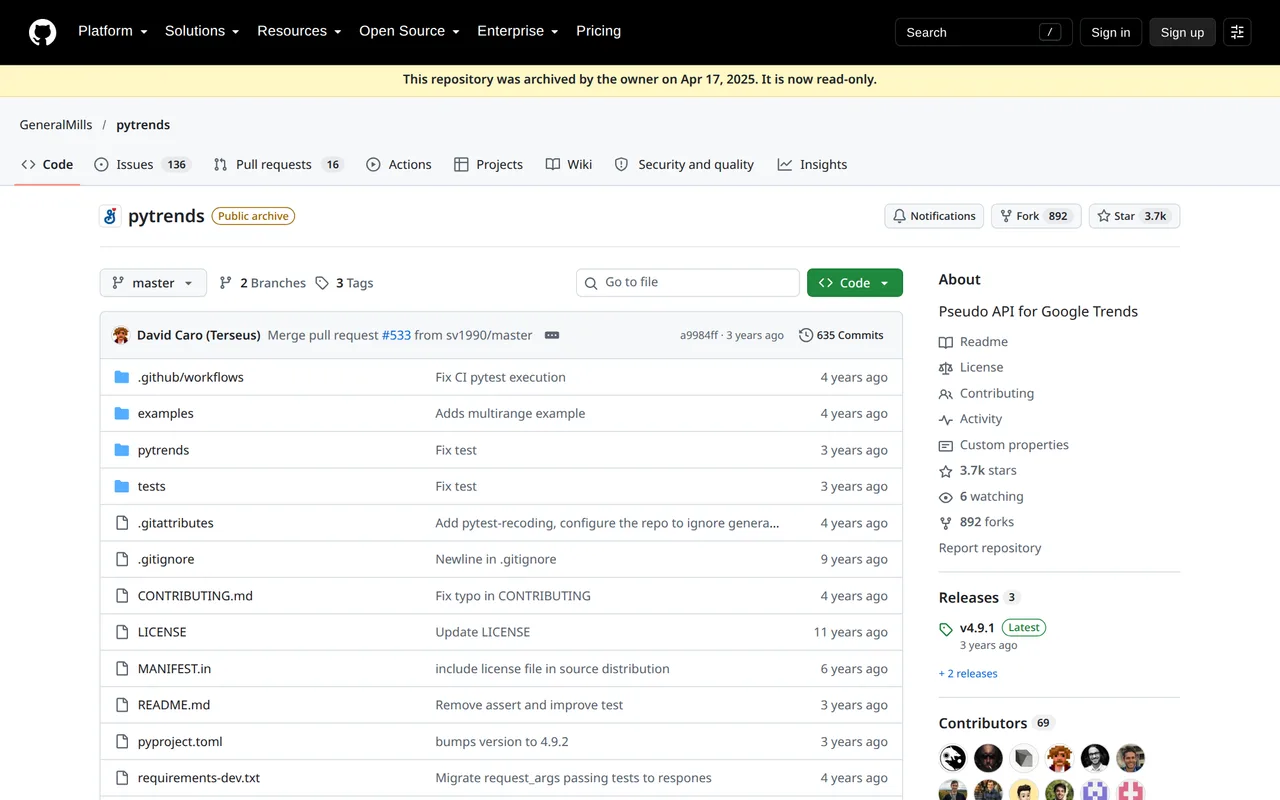
Pytrends is a free, open-source Python library, described by its own README as an unofficial API for Google Trends. Its GitHub repository was archived by its owner on 17 April 2025 and is read-only, its latest release is from April 2023, and its README says the rate limit is not publicly known. 1Lookup compares up to five keywords for 2 credits, about $0.010 on the Starter plan, with no proxies to run.
The Pytrends interest-over-time report, as a hosted request
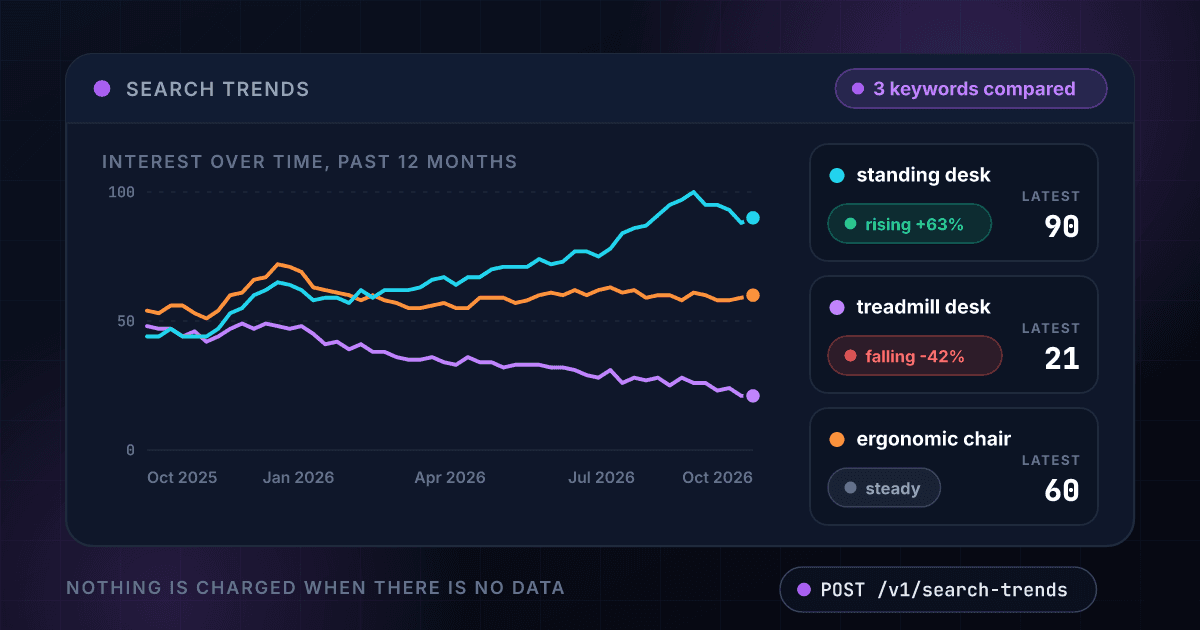
Pytrends builds the request, sends it from your server and handles Google's blocks with proxies and sleeps you supply. This is the same comparison returned as JSON for one price.
1Lookup vs pytrends: the same criteria, side by side
Both products measured on identical criteria, with pytrends’s numbers taken from its own published pricing.
| Criteria | 1Lookup | pytrends |
|---|---|---|
| Pricing model | Monthly plans with universal credits; core phone, email and IP lookups cost 1 credit, enrichment and intelligence products cost more | Free and open source. No price, plan, API key or usage fee is printed on the GitHub README or the PyPI metadata; the library is installed with pip install pytrends. |
| Starting price | $99/mo for 20,000 credits ($4.95 per 1,000, down to $2.00 on Enterprise) | Not published; quote-based |
| Free option | Free single lookups via the online tools at 1lookup.io/tools, no account required | free (open source) |
| Free trial | 7-day free trial on every plan: $5 of credits on Starter, $20 on Growth, Professional, and Enterprise, with no payment today | None published |
| Do credits expire? | Unused monthly credits roll over for 3 months; separately purchased credits last 1 year | Not published |
Before you sign: pytrends and 1Lookup on the operational terms
The terms that decide what a year actually costs, rather than what the first month does. “Not listed” means we could not verify it on either product’s published pages, not that the answer is nothing.
| Term | 1Lookup | pytrends |
|---|---|---|
| Minimum commitment | None. Monthly plans with no contract and no minimum volume; cancel any time | Not listed |
| API access | Included on every plan and during the free trial; there is no tier that unlocks it | No key or plan: a Python library that is installed with pip and sends requests to Google Trends; the README calls it an unofficial API. |
| Rate limit | 1,000 requests per minute on standard accounts, with higher limits available on request | Not published. README: 'Rate Limit is not publicly known'; one user reported reaching it after 1,400 sequential requests of a 4 hour timeframe; 60 seconds of sleep between requests appears to be the correct wait once limited. |
| Support | Starter: Email Support; Growth: Priority Email & Chat Support; Professional: Chat + Live Meeting; Enterprise: Dedicated CSM | None promised. The README says it is not an official or supported API; the repository's issues page exists but the repository is archived and read-only. |
pytrends fine print worth reading twice
Published terms that change what pytrends costs or what you can do with it. Each one links to the pytrends page it was read on, because a claim about somebody else’s contract should be checkable in one click.
No fee is printed, but the README says users who are blocked by the Google rate limit need to bring their own https proxies (with port numbers) and tune retries, backoff or sleeps, which is infrastructure the user pays for and maintains.
Read it on pytrends’s siteBecause the repository is archived and the README says the library is only good until Google changes its backend, a buyer carries the maintenance risk themselves.
Read it on pytrends’s site
1Lookup
pytrends
Where 1Lookup wins
- A hosted API with a key and a price: $0.010 per comparison on Starter, with no proxies, sleeps or retries to run
- Up to five keywords on one shared 0 to 100 scale, with the average, peak, latest score, change and direction worked out for each
- Ranges from the past day to the past 5 years, for the world or any of 29 countries, and a comparison with no data costs nothing
- A CSV upload runs a whole list of comparisons in one go, one row per comparison
Where pytrends wins
- Free and open source under the Apache 2.0 licence, with no account, key or minimum spend to start.
- Covers more Google Trends reports than a single interest-over-time series: interest over time, multirange interest, hourly history, interest by region, related topics, related queries, trending searches, top charts and suggestions.
- Accepts up to five terms in one list and up to five regions per call, per the README.
- Ships options for proxies, retries, backoff and a sleep parameter for the rate-limit case, so a developer can tune it to their own infrastructure.
- Source code is public, so a team can read or fork it (the repository is read-only since 17 Apr 2025, so forking is the only way to change it).
pytrends pricing and product facts verified against github.com/GeneralMills/pytrends as of October 2026. Prices change; always confirm on the vendor’s site. 1Lookup numbers come from the live rate card.
Who this is for
A quick, honest read on which tool fits your use case.
Choose 1Lookup if: a report or a product depends on Google Trends data and you want a hosted API with a price, not a library that sends requests from your own servers and needs your proxies.
Consider Pytrends instead if: you are running a one-off analysis on your own machine and want the wider set of reports, such as hourly history, related queries and trending searches, for free.
Frequently asked questions
What is Pytrends?
A free, open-source Python library, installed with pip, that downloads Google Trends reports from code: interest over time, hourly history, interest by region, related topics and queries, trending searches and suggestions. Its README calls it an unofficial API for Google Trends and licenses it under Apache 2.0.
Is Pytrends still maintained?
Its GitHub page says the repository was archived by the owner on 17 April 2025 and is now read-only. The latest PyPI release, 4.9.2, is from 13 April 2023. The README states that this is not an official or supported API and that it is only good until Google changes their backend again. Anyone who needs a fix has to fork it.
Why does Pytrends hit a rate limit?
It sends requests to Google from your own machine, and the README says the rate limit is not publicly known. It reports one user reaching it after 1,400 sequential requests of a 4-hour timeframe, and suggests waiting 60 seconds between requests or using https proxies, which you supply. The library offers retry, backoff and sleep options for that case.
How much does Pytrends cost?
Nothing is printed: no price, plan or key. The cost shows up elsewhere, in proxies, retries, waiting and the engineering time to keep a library working that its maintainers no longer update. 1Lookup is billed by the request.
How much does 1Lookup charge for a comparison?
2 credits per comparison that returns readings, free when there are no readings, whatever the number of keywords up to five. On the Starter plan ($99 a month for 20,000 credits) that is about $0.010 a comparison, 10,000 comparisons a month and $9.90 per 1,000. The ranges run from the past day to the past 5 years, for the world or any of 29 countries.
Where does Pytrends beat 1Lookup?
On price and on range of reports. It costs nothing to install, and it covers more of Google Trends than one comparison: hourly history, interest by region, related topics and related queries, trending searches and top charts, with up to five terms and five regions in a call. You can read and fork its source. 1Lookup returns one report, the comparison over time.
Is Pytrends worth using in 2026?
For a one-off analysis on your own laptop, yes: it is free and quick to try. For a product or a schedule that has to keep running, weigh what the README says itself: no official support, an unpublished rate limit and a backend that may change.