Free SSL Certificate Checker
Check when a site's HTTPS certificate expires and whether browsers trust it.
Free & rate-limited. No signup required to try.
The certificate for sample-shop.example.com is valid and expires on Nov 30, 2026 (38 days from now).
A free trial adds every name the certificate covers, the fingerprint, the full chain and the cipher.
- Status
- Valid
- Expires
- Nov 30, 2026 (38 days left)
- Issued by
- Sample Trust CA 1
- Trusted by browsers
- Yes
- Covers this name
- Yes
- TLS version
- TLSv1.3
- Key
- EC 256
- Names covered
- 2
- Issued on
- Sep 1, 2026
The short answer
An SSL certificate checker connects to a domain over HTTPS and reads the certificate its server presents. This free tool shows whether it is valid, expiring soon or expired, the days left, who issued it, whether browsers trust it and whether it covers the name. A free trial adds the names on it, the chain and every problem found.
- No signup needed
- Read from the server itself
- Days left and trust shown
An SSL certificate check tells you in seconds when a site's HTTPS certificate expires and whether browsers will trust it.
Enter a domain. The tool connects to it over HTTPS the way a browser does, reads the certificate the server presents and shows whether it is valid, expiring soon, expired or has another problem, with the days left, who issued it and whether it covers the name you typed.
It also shows whether browsers trust the chain of certificates behind it, the TLS version the server used, the type and size of the key and how many names the certificate lists. An expired or self-signed certificate is still read, so you see exactly what a visitor would run into. To keep the tool free for everyone, a domain checked in the last an hour is shown again.
A certificate with 30 days or fewer left is shown as expiring soon, which leaves time to renew it. A free trial adds every name on the certificate, the chain link by link, the cipher and every problem in plain words, and checks a whole list of domains at once.
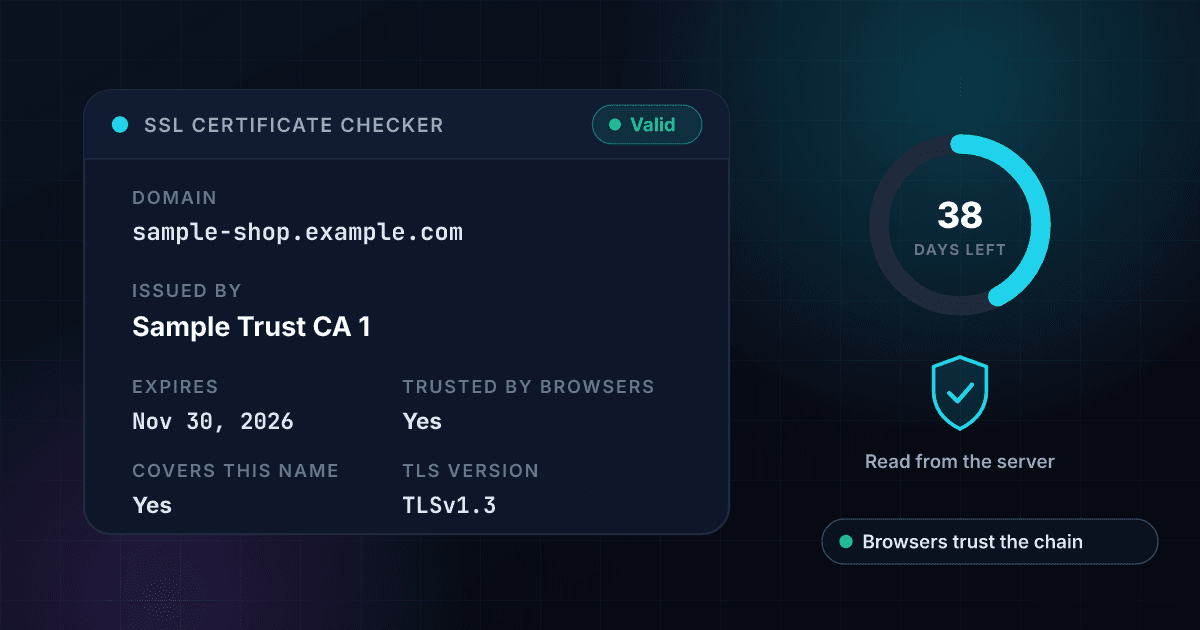
An SSL certificate check returns these facts, and each one answers a different question.
This is an invented result for a made-up site, laid out the way a real one comes back. The verdict and the main facts are free on this page, and a free trial opens the rest.
- Status
Valid
The verdict: Valid, Expiring soon (30 days or fewer left), Expired, Not valid yet, Issued for a different name, Self-signed or Not trusted by browsers.
- Expires
Nov 30, 2026 (38 days left)
The date the certificate stops being valid and the days left. It turns to a warning at 30 days or fewer.
- Issued by
Sample Trust CA 1
The certificate authority that issued the certificate.
- Trusted by browsers
Yes
Whether the chain of certificates leads to an authority that browsers trust.
- Covers this name
Yes
Whether the domain you typed is one of the names on the certificate. A wildcard such as *.example.com covers one level of subdomain and never the bare domain.
- TLS version
TLSv1.3
The version of the secure-connection protocol the server used for this check.
- Key
EC 256
The type and size of the certificate's key.
- Names covered
2
How many names the certificate lists.
- Issued on
Sep 1, 2026
The date the certificate became valid.
Opens with a free trial
- Names on the certificate and its fingerprint
Names and fingerprint
The names the certificate lists and its fingerprint, so you can match it to the one you installed.
- The chain and the cipher
Link by link
Each certificate between the site and the authority it chains to, and the cipher the connection used.
- Every problem found
In plain words
Each problem as a sentence, such as a key that is too small, and not only the first one.
Checking a certificate takes three steps and no signup.
Enter the domain
Type a domain such as example.com. A www. or other subdomain is checked as typed, because each name can present its own certificate.
We read the certificate
1Lookup opens one secure connection to the domain on the standard HTTPS port, asks for its certificate and closes the connection. Nothing else is sent to the site, and an expired or self-signed certificate is still read.
Read the verdict
You see whether the certificate is valid, expiring soon or has a problem, when it expires, who issued it and whether browsers trust it.
One check connects to the domain and reads the certificate it serves.
This is the path a single check takes. The connection is closed as soon as the certificate has been read.
- You enter a domainA domain, a web address or an email address, cut down to the domain.
- The name is looked upIt has to point to a public server. A private or internal address is refused.A name that is not in DNS, or that points to a private address, stops here with a plain answer.
- The certificate is readThe server is asked for its certificate, and the dates, issuer, names, chain and key are judged.
- You see the verdictValid, expiring soon or the problem found, with the facts behind it.
Bulk certificate checks run the same check on a whole list with one CSV file.
The free tool checks one domain at a time. With a 1Lookup account you upload a CSV file in the dashboard, pick the column that holds the domains and download the same file back with the result columns filled in on every row. These rows are invented.
| domain | Found | Certificate Status | Days Remaining | Valid To | Issuer | Credits Used |
|---|---|---|---|---|---|---|
| sample-shop.example.com | Yes | valid | 38 | 2026-11-30 | Sample Trust CA 1 | 2 |
| sample-old.example.com | Yes | expired | -5 | 2026-10-18 | Sample Trust CA 1 | 2 |
| sample-parked.example.com | No | 0 |
- 2 credits for each certificate that is read, whatever its verdict, about 1 cent on Starter and 0.4 cents on Enterprise, and nothing for a domain with no certificate to read.
- Up to 2 million rows in one CSV file.
- Up to 200 API requests per 10 seconds for each API key, and each account can make up to 1,000 requests a minute in total across all its keys.
The SSL Certificate Check API returns the same verdict as JSON from one request.
Send the domain to the endpoint with your API key. A certificate that is read costs 2 credits, whatever its verdict, and a domain with no certificate to read costs 0. Whether one was read is in classification.found, and the verdict is in classification.certificate_status.
curl -X POST https://app.1lookup.io/api/v1/ssl-certificate-check \
  -H "Authorization: Bearer YOUR_API_KEY" \
  -H "Content-Type: application/json" \
  -d '{"domain": "sample-shop.example.com"}'
import requests
response = requests.post(
"https://app.1lookup.io/api/v1/ssl-certificate-check",
headers={"Authorization": "Bearer YOUR_API_KEY"},
json={"domain": "sample-shop.example.com"},
)
data = response.json()["data"]
print(data["classification"]["certificate_status"])const response = await fetch('https://app.1lookup.io/api/v1/ssl-certificate-check', {
method: 'POST',
headers: {
'Authorization': 'Bearer YOUR_API_KEY',
'Content-Type': 'application/json'
},
body: JSON.stringify({ domain: 'sample-shop.example.com' })
})
const { data } = await response.json()
console.log(data.classification.certificate_status)Response
{
  "success": true,
  "data": {
    "classification": {
      "found": true,
      "host": "sample-shop.example.com",
      "certificate_status": "valid",
      "days_remaining": 38,
      "valid_to": "2026-11-30",
      "issuer": "Sample Trust CA 1",
      "hostname_matches": true,
      "trusted": true,
      "protocol": "TLSv1.3",
      "issue_count": 0,
      "checked_at": "2026-10-23"
    },
    "metadata": { "credits_used": 2, "cache_hit": false }
  }
}
To check every domain you own or monitor from your own software, see our SSL Certificate Check API.
One certificate check shows the days left, the issuer and whether browsers trust it.
The verdict comes with the days left.
You see valid, expiring soon, expired or the problem found, with the expiry date and the number of days left, so a renewal is never a surprise.
You see whether browsers would trust the certificate.
The chain of certificates behind it is tested, and the result says whether the name you typed is one of the names it covers.
An expired or self-signed certificate is still read.
The check reads what the server really presents, so you see the broken certificate and not just a failed connection.
A mistyped domain is refused before a check is used.
An IP address, a single word and anything else that is not a domain name get a clear message and are never looked up.
Site owners, agencies, support teams and reviewers all check certificates with this tool.
Site owners watching an expiry date
Check a domain a few weeks ahead to see how many days are left. After you renew, check again: a renewed certificate shows within an hour.
Agencies and developers before a launch or a move
See who issued a certificate, which names it covers and whether it matches the site you are about to switch on.
Support teams chasing a browser warning
Find out whether the warning comes from an expired certificate, the wrong name, a self-signed certificate or a chain browsers do not trust.
Reviewers looking at a vendor's website
Look at the TLS version, the key and the issuer a vendor's public site presents before it goes on an approved list.
These are the questions people ask about the free SSL certificate checker.
Is the SSL certificate checker really free?
Yes. You can check a few domains without an account, and there is nothing to pay. A free 1Lookup trial lifts that limit and adds the names on the certificate, its fingerprint, the chain, the cipher and every problem found.
How does the checker get the certificate?
It opens one secure connection to the domain on the standard HTTPS port, the way a browser does, reads the certificate the server presents and closes the connection. Nothing else is sent to the site. The connection asks for the name you typed, so a server that holds different certificates for different names shows the one for that name.
What do the statuses mean?
Expired and Not valid yet mean today is outside the certificate's dates. Issued for a different name means the domain you typed is not one of the names on it. Self-signed means the site signed its own certificate, and Not trusted by browsers means the chain does not lead to an authority browsers trust. Expiring soon means 30 days or fewer are left, and Valid means none of those problems was found. When there is more than one problem, the status shows the first in that order and a free trial lists them all.
Does www matter?
Yes. A www. or other subdomain is checked as typed, because each name can present its own certificate. A certificate for example.com does not cover www.example.com unless that name is listed on it, and a wildcard such as *.example.com covers one level of subdomain and never the bare example.com.
Why does a domain come back with no certificate?
The name may not exist in DNS, it may point to a private or internal address that cannot be checked, or nothing on it may accept secure connections on the standard HTTPS port. A connection that times out or is cut off is never reported as no certificate: the tool asks you to try again instead.
Does it check revocation or grade the server's security settings?
No. It reads the certificate and the connection it came over: the dates, the names, the chain, the key, the TLS version and the cipher. It does not check whether the certificate was revoked, does not search certificate transparency logs and does not test or grade the server's protocols and cipher suites.
Does a valid certificate mean a site is safe?
No. It means the site presents a certificate that browsers accept for that name. It says nothing about who runs the site or whether its content can be trusted.
Can I check an IP address or a port other than 443?
No. The tool takes a domain name and reads the certificate served on the standard HTTPS port. An IP address, a single word or an internal name is refused with a clear message before a check is used.
Can I check a list of domains at once?
Yes, in a free trial. Upload a CSV with a domain column or call the SSL Certificate Check API. Each certificate that is read costs 2 credits, whatever its verdict, and a domain with no certificate to read costs nothing.
Where to go after you check a certificate.
- SSL Certificate Check APICheck a whole list of domains, with the verdict, the dates, the issuer and the names for each.
- 1Lookup vs SSL LabsA free full TLS assessment with a grade and restricted use, against a certificate read at a price per domain.
- 1Lookup vs WhoisXML APIPrepaid query tiers with raw certificate fields, against a verdict with the days left at a price per certificate read.
- 1Lookup vs SSLMateCertificate monitoring and a Certificate Transparency search, against a check you run when you ask.
- Free DMARC CheckerCheck the mail authentication record of the same domain.
People who check an SSL certificate also look for these.
- ssl certificate checker
- ssl checker
- check ssl certificate expiry
- ssl certificate expiration date
- https certificate checker
- is my ssl certificate valid
- ssl certificate lookup
- who issued a website's ssl certificate
- check if a certificate is trusted
- ssl certificate check api