Free Brand Kit Finder
Enter a company website and see its logo, brand colors, main font and social profiles.
Free & rate-limited. No signup required to try.

Sample Shop
shop.example.com
- 3
- Colors
- 2
- Fonts
- 3
- Social profiles
- Company
- Sample Shop
- Logo
- Found (SVG file)
- Colors
- #4f46e5, #f59e0b, #0f172a
- Main font
- Inter
- Social profiles
- 3: LinkedIn, X, Instagram
The short answer
A brand kit finder reads a company's own website and shows how its brand looks. This free tool shows the company name, its logo, its first three brand colors, its main font and how many social profiles it links. A free trial adds the full palette, every logo file, the profile links and the description.
- No signup needed
- Read from the site's own pages
- Logo, colors and font shown
A brand kit finder reads a company's own website and shows its logo, colors and fonts in seconds.
Enter a company website. The tool opens the home page the way a browser does, together with the web app manifest and the first two stylesheets the page links, and works out the company name, the logo, the brand colors, the fonts and the social profiles the site publishes.
You see the logo drawn whole, the first three brand colors as swatches, the main font and how many social profiles the site links, with the networks named. Everything comes from the company's own site, so a color, a font or a profile the site does not publish is shown as none found and is never guessed. To keep the tool free for everyone, a website looked up in the last six hours is shown again.
A free trial adds the full palette with where each color was found, every logo file with its type and size, the profile links and handles, the description and the alternate names, and reads the brand kit of a whole list of websites at once.
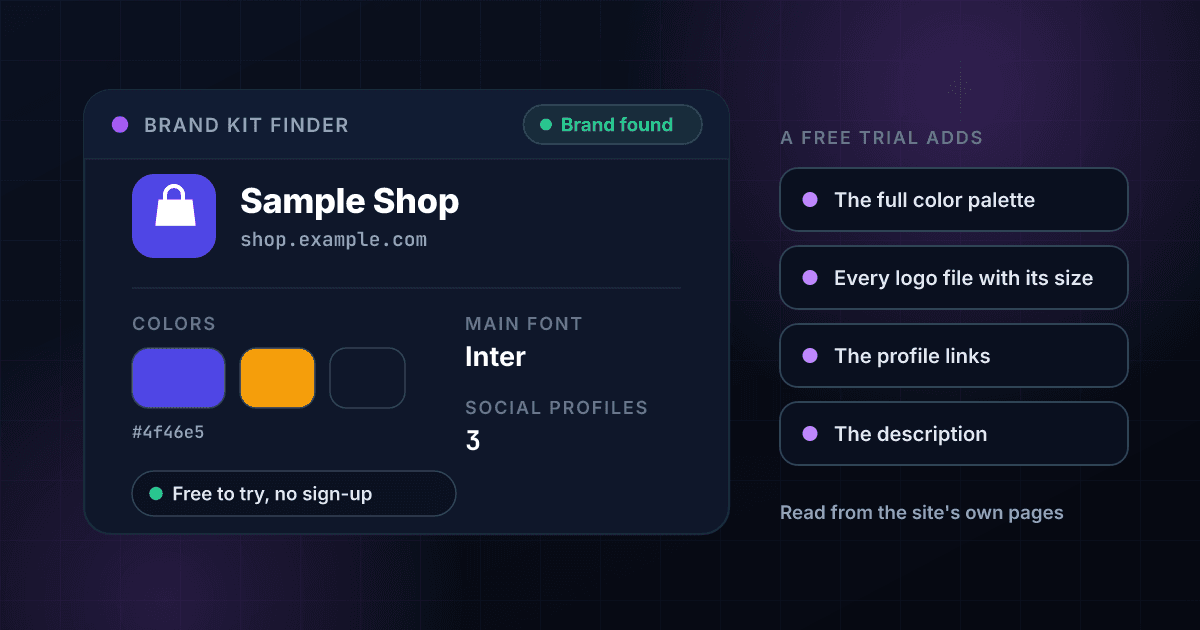
A brand lookup returns these facts, and each one answers a different question.
This is an invented result for a made-up company, laid out the way a real one comes back. The name, the logo and the main facts are free on this page, and a free trial opens the rest.
- Company
Sample Shop
The company name the site gives itself, taken from the page's own markup.
- Logo
Found (SVG file)
Whether the site points to a logo, and the type of the file, such as SVG or PNG.
- Colors
#4f46e5, #f59e0b, #0f172a
The first three brand colors the site uses, most prominent first, as hex values.
- Main font
Inter
The font the site uses most, as named in its stylesheets or font links.
- Social profiles
3: LinkedIn, X, Instagram
How many social profiles the site links, and which of the seven networks they are on.
Opens with a free trial
- The full palette
Every color, ranked
Every brand color with where it was found, such as the site's declared theme color or its stylesheets, and how often a stylesheet uses it.
- Every logo file
Type and size
Each logo and icon file the site lists, best first, with its type and its width and height where the site states them.
- The profile links
Address and handle
The address and handle of each social profile the site links.
- The description
In the company's words
The short description the site gives of itself, and the alternate names it lists.
Finding a brand kit takes three steps and no signup.
Enter the website
Type a company website such as example.com, paste a web address or an email address. A leading www. is dropped, and any other subdomain is read as typed.
We read the site's own pages
1Lookup opens the home page, the web app manifest and the first two stylesheets, with at most four requests and 8 seconds in all. A private or internal address is never connected to.
See the brand
You see the company name, the logo, the first three brand colors, the main font and how many social profiles the site links.
One lookup reads the home page and the few files it links, and nothing else.
This is the path a single lookup takes. Nothing is sent to the site except the requests a browser would make for the same files.
- You enter a websiteA domain, a web address or an email address, cut down to the site's host name.
- The name is looked upIt has to point to a public server. A private or internal address is refused.A name that is not in DNS, or that points to a private address, stops here with a plain answer.
- The pages are readThe home page, the web app manifest and the first two stylesheets, at most four requests.
- You see the brandThe name, the logo, the colors, the main font and the social profile count.
Bulk brand lookups read a whole list of websites with one CSV file.
The free tool looks up one website at a time. With a 1Lookup account you upload a CSV file in the dashboard, pick the column that holds the websites and download the same file back with the brand columns filled in on every row. These rows are invented.
| domain | Found | Company Name | Logo Type | Primary Color | Fonts | Credits Used |
|---|---|---|---|---|---|---|
| shop.example.com | Yes | Sample Shop | svg | #4f46e5 | Inter, Fraunces | 2 |
| studio.example.com | Yes | Sample Studio | png | #0f766e | Lora | 2 |
| parked.example.com | No | 0 |
- 2 credits for each brand that is found, about 1 cent on Starter and 0.4 cents on Enterprise, and nothing for a website with no name or logo to read.
- Up to 2 million rows in one CSV file.
- Up to 200 API requests per 10 seconds for each API key, and each account can make up to 1,000 requests a minute in total across all its keys.
The Brand Lookup API returns the same kit as JSON from one request.
Send the domain to the endpoint with your API key. A brand that is found costs 2 credits, and a website with no name or logo to read costs 0. Whether a brand was found is in classification.found, and the company name is in classification.company_name.
curl -X POST https://app.1lookup.io/api/v1/brand-lookup \
  -H "Authorization: Bearer YOUR_API_KEY" \
  -H "Content-Type: application/json" \
  -d '{"domain": "shop.example.com"}'
import requests
response = requests.post(
"https://app.1lookup.io/api/v1/brand-lookup",
headers={"Authorization": "Bearer YOUR_API_KEY"},
json={"domain": "shop.example.com"},
)
data = response.json()["data"]
print(data["classification"]["company_name"])const response = await fetch('https://app.1lookup.io/api/v1/brand-lookup', {
method: 'POST',
headers: {
'Authorization': 'Bearer YOUR_API_KEY',
'Content-Type': 'application/json'
},
body: JSON.stringify({ domain: 'shop.example.com' })
})
const { data } = await response.json()
console.log(data.classification.company_name)Response
{
  "success": true,
  "data": {
    "classification": {
      "found": true,
      "domain": "shop.example.com",
      "company_name": "Sample Shop",
      "logo_url": "https://shop.example.com/assets/logo.svg",
      "logo_format": "svg",
      "primary_color": "#4f46e5",
      "colors": "#4f46e5, #f59e0b, #0f172a",
      "primary_font": "Inter",
      "social_count": 3,
      "checked_at": "2026-10-25"
    },
    "metadata": { "credits_used": 2, "cache_hit": false }
  }
}
To read the brand kit of every company in a list from your own software, see our Brand Lookup API.
One lookup shows a company's logo, its brand colors, its main font and how many social profiles it links.
The logo is drawn whole, not cropped.
The company's own logo file is shown on a light tile, so a wordmark or a symbol looks the way the company published it.
The brand colors come back as swatches with their hex values.
The first three colors the site uses, most prominent first, so you can copy a hex value straight into a design or a stylesheet.
Nothing is guessed when the site does not say.
A color, a font or a profile the site does not publish is shown as none found, never filled in from a database or a model.
A mistyped website is refused before a lookup is used.
An IP address, a single word and anything else that is not a website name get a clear message and are never looked up.
Designers, marketers, sales teams and developers all look up a company's brand with this tool.
Designers starting a pitch
See a prospect's logo, colors and main font before the first mockup, so the draft already looks like their brand.
Marketers building a co-branded page
Check a partner's brand colors and logo style before you design the page that carries both names.
Sales teams researching an account
Look at how a company presents itself and which social networks it links, before the first call.
Developers filling a profile with a company's brand
Check what a site publishes before you build a screen that shows a customer's logo and color from their domain.
These are the questions people ask about the free brand kit finder.
Is the brand kit finder really free?
Yes. You can look up a few websites without an account, and there is nothing to pay. A free 1Lookup trial lifts that limit and adds the full palette, every logo file, the profile links and the description.
Where does the brand information come from?
From the company's own website. The tool opens the home page, the web app manifest and the first two stylesheets, the same files a visitor's browser loads, with at most four requests, and works out the name, logo, colors, fonts and social profiles from them. No third-party brand database is used.
What can I enter?
A website such as example.com, a web address or an email address. A leading www. is dropped, and any other subdomain is read as typed, because shop.example.com can carry its own brand. An IP address, a single word or a bare ending such as co.uk is refused with a clear message before a lookup is used.
Why does a website come back with nothing found?
The name may not exist in DNS, it may point to a private or internal address, the site may have no home page, it may refuse automated requests, or its home page may name no company and point to no logo. A site that times out or answers with a server error is never reported as having no brand: the tool asks you to try again instead.
Does it find the logo of every company?
Only when the site points to one. The tool uses the logo the site publishes, and a site that draws its pages entirely with scripts or blocks automated requests can come back with fewer parts. Nothing is guessed, so a missing logo is shown as none found.
How are the colors and the font chosen?
The colors come from the site's declared theme color and its stylesheets, ranked with the most prominent first, and the page shows the first three. The main font is the one the site uses most, as named in its stylesheets or font links.
Does it show the company's headcount, revenue or industry?
No. It shows how a company looks and which social profiles it links, not facts about the business. For the company itself, 1Lookup has separate company profile and LinkedIn company lookups.
Can I use the logo and colors I find?
The tool shows what a company publishes on its own site. A logo and a brand are the company's property, so check the company's brand guidelines before you use them in your own work.
Can I look up a list of websites at once?
Yes, in a free trial. Upload a CSV with a domain column or call the Brand Lookup API. Each brand that is found costs 2 credits, and a website with no name or logo to read costs nothing.
Where to go after you look up a brand.
- Brand Lookup APIRead the name, every logo file, colors, fonts and social profiles for a whole list of websites.
- 1Lookup vs BrandfetchA brand index sold in monthly fetch quotas, against a brand kit read from the site at a price per brand found.
- 1Lookup vs Logo.devA logo CDN with a Brand API at five cents a request, against the whole kit at a flat credit price.
- 1Lookup vs Context.devA web data platform where a brand call is 10 credits, against a brand kit that is free when nothing is found.
- 1Lookup vs LogoKitLogo and brand data plans with a daily allowance, against a price per brand found with no daily cap.
- 1Lookup vs the Clearbit Logo APIThe free logo API that was discontinued in December 2025, against a lookup that returns the whole brand kit.
People who look up a brand kit also search for these.
- brand kit finder
- find a website's brand colors
- get a company logo from a domain
- website color palette finder
- what font does a website use
- extract colors from a website
- company logo finder
- brand assets from a website
- find a company's social profiles from its website
- brand lookup api