What each HLR lookup status means and what to do with each number
A live HLR lookup returns one of four statuses: Active / reachable, Temporarily unreachable, No active line or Unknown. Keep an active number, check an unreachable one again on another day, remove a number with no active line and try an unknown one again before you judge it.
The status comes from the number's own network, so it describes the SIM, not the person. For a US or Canadian number the answer is assigned or not assigned instead, because the carriers there do not answer live queries.
No payment today.
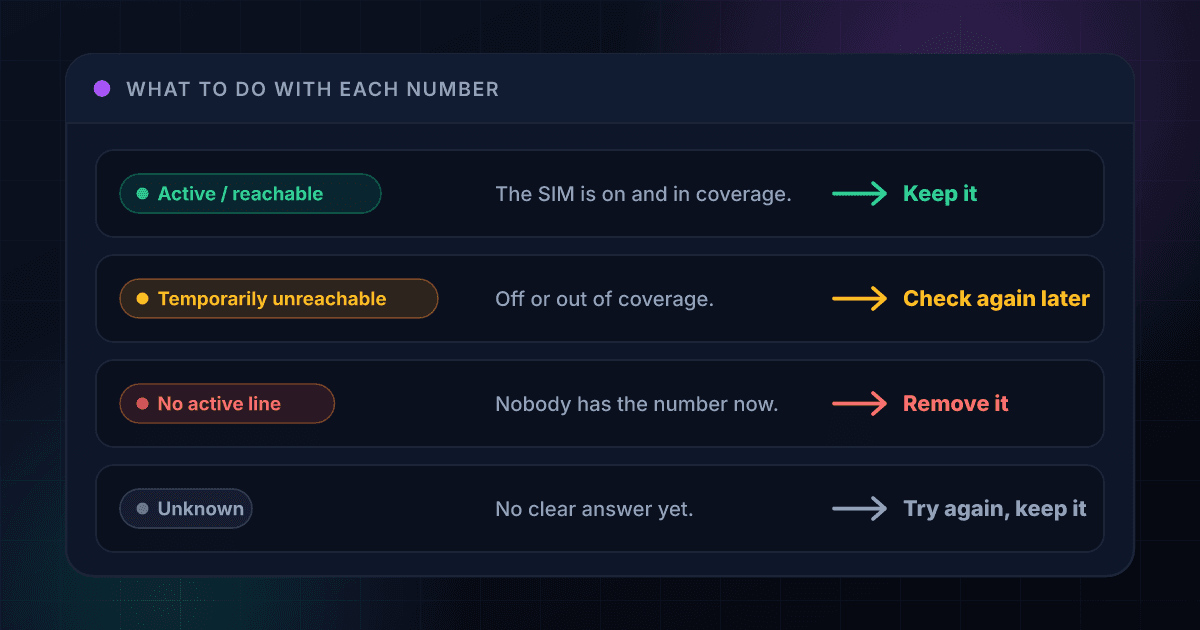
Active or reachable means the SIM is on and the number is in use.
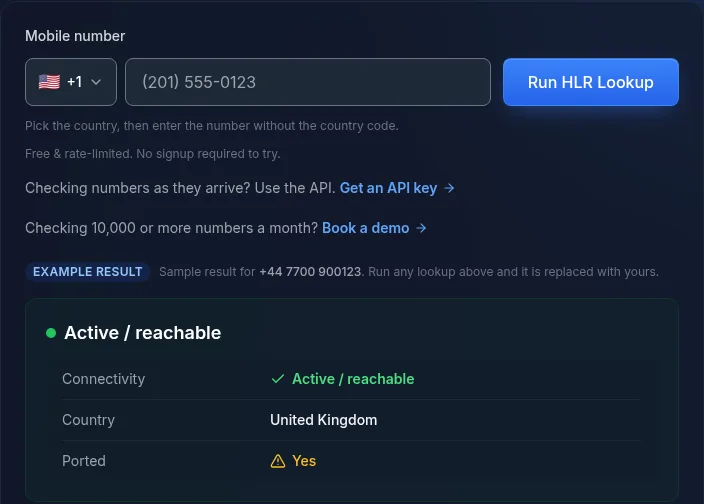
The network says the SIM is switched on and in coverage right now. Keep the number, and it is safe to call or text it. It does not mean the person will answer, only that the number is live. Check one yourself with the free HLR lookup.
Temporarily unreachable means the phone is off or out of coverage.
The number still belongs to someone, so it is not invalid. The phone may be switched off, in airplane mode, out of coverage or out of battery. Set the number aside and check it again before your next send.
One unreachable answer is not a verdict. A number that stays unreachable across checks on several different days is more likely to be abandoned, and you can then treat it as a dead contact.
No active line means the network reports nobody on the number.
The number was closed, never issued or typed wrongly. Remove it from a call or text list, and check the digits first if you typed it yourself. A closed number can be reissued to a new person later, so do not keep it for later.
Unknown means the network gave no clear answer, so the number is unresolved.
Some networks do not answer a query, or answer too slowly. That is not a sign the number is bad. Check it again later, and keep it in your list until a clear answer arrives.
This table puts the four statuses, the API values and the next step side by side.
| Status in the tool | Value in the API | What to do |
|---|---|---|
| Active / reachable | CONNECTED, from a live query | Keep it, then call or text it. |
| Temporarily unreachable | ABSENT or ABSENT_SUBSCRIBER | Set it aside and check it again on another day. |
| No active line | INVALID_MSISDN, INVALID or UNALLOCATED | Remove it from the list. |
| Unknown | UNDETERMINED | Check it again later and keep it until then. |
The API returns the value in the connectivity_status field.
The other lines of a result change what you do with the number.
- Ported: Yes means the number moved to another network. It is still valid, so update the carrier you have on file.
- Roaming: Yes means the phone is on a foreign network right now.
- Current and original carrier name the network that serves the number now and the one that issued it. See what a home location register is for where they come from.
Check the whole list the same way, and check it again before a big send.
The bulk phone number checker takes a CSV file of up to 2 million rows and the HLR lookup API takes one number at a time. Each lookup is 5 credits, $0.02475 on the Starter plan, and a number the network reports as invalid is not charged. Statuses change, so a list that was clean last month needs another pass before you send.
These are the questions people ask about the statuses.
- Is temporarily unreachable the same as invalid?
- No. The number belongs to someone and the phone is off or out of coverage. Invalid means the network reports no subscriber on the number.
- Should I remove the unknown numbers from my list?
- No. Unknown means the network gave no clear answer, so check the number again later.
- Does an active status mean the person will answer?
- No. It means the SIM is on and in coverage, not that anyone will pick up.
Run a free HLR lookup and read the status yourself.
No payment today.
These are the next pages to read.
- How to tell if a phone is switched off or the number is disconnected
- What a home location register is and what an HLR lookup reads from it
- How do I clean my phone list before an SMS campaign?
See all the questions answered in the help section.