Stop texting and calling bad numbers from your GoHighLevel workflows with the 1Lookup app
Install the 1Lookup app from the GoHighLevel Marketplace, then add a 1Lookup action to a workflow. Each new contact gets checked the moment it is added, and the result tells the workflow what to do next: text the good numbers, tag the risky ones and skip landlines. Phone Validation checks numbers and Email Validation checks addresses.
A phone check at the start of the workflow keeps bad numbers out of your texts and calls.
Most HighLevel workflows act on whatever number a form, an ad or an import hands them. A landline usually cannot receive your text, and a disconnected number wastes the send and the call.
Put one 1Lookup step right after the trigger. It returns the line type, the carrier, risk indicators and a recommendation of approve, review or block. An If/Else step then sends each contact down its own branch: the good numbers carry on, the doubtful ones get a tag, and the rest stop there.
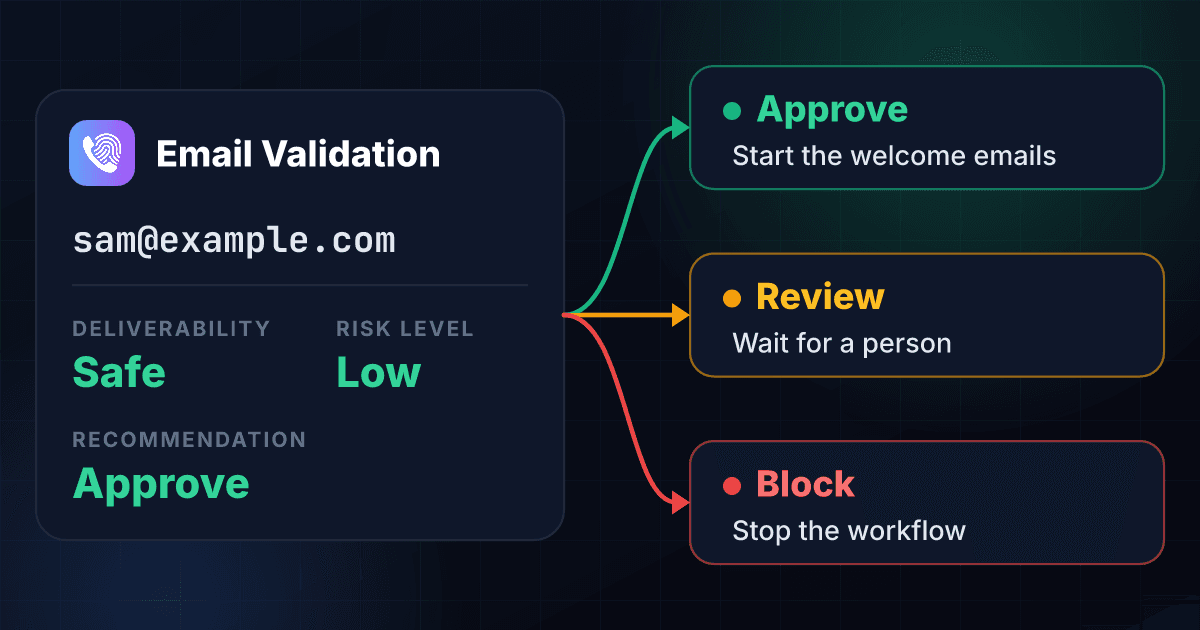
Email works the same way. The Email Validation step returns a deliverability status of safe, risky or unknown, a risk level and a recommendation, so a bad address is caught before your first email goes out.
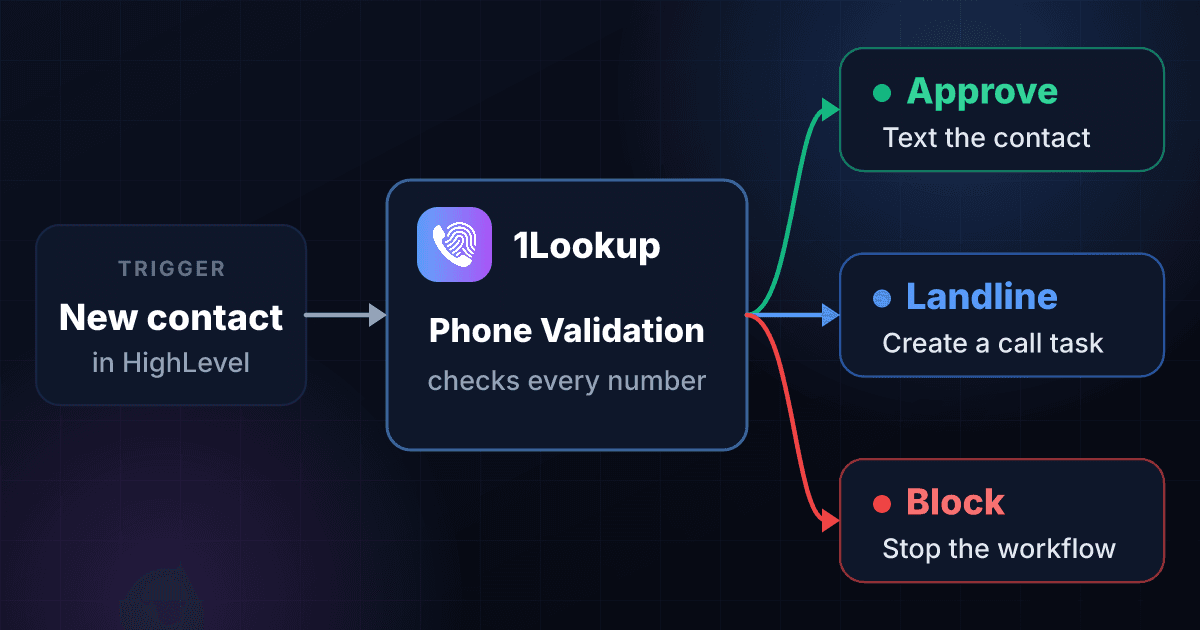
A 1Lookup step does six jobs inside a HighLevel workflow.
Skip landlines before you text
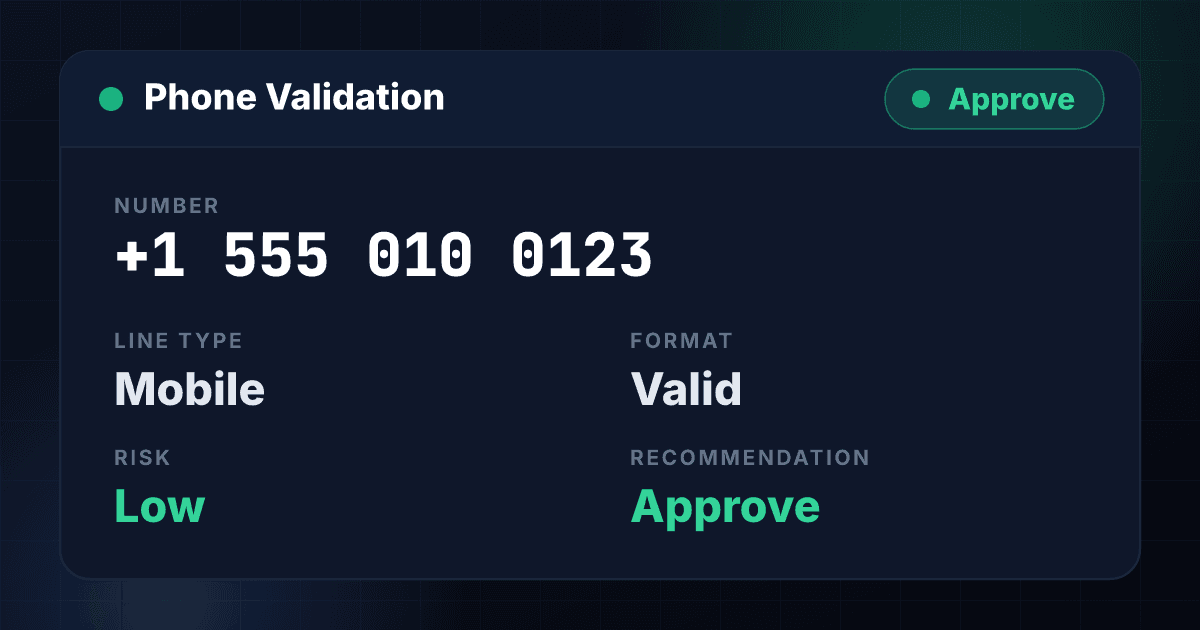
Phone Validation reports the line type: mobile, landline or VoIP. Send mobiles to your text step and landlines to a call task.
Branch on approve, review or block
Phone and email checks both end in a recommendation. Let approve carry on, send review to a person, and stop block.
Tag contacts by the result
Add a tag after the check so a list, a report or a later workflow can find the contacts that need a second look.
Check email before the first send
Email Validation returns a deliverability status of safe, risky or unknown, plus a risk level, so bad addresses never reach your email step.
Check numbers abroad
Number Type Lookup, MNP Lookup and HLR Lookup cover numbers outside the US. HLR Lookup reads the live status of a mobile number from the mobile network.
Fill the gaps in a contact
Enrichment steps find a work email from a name and company domain, a mobile number from a profile URL or an email, or a phone number from a name and postal address.
The 1Lookup app adds 13 actions to your HighLevel workflows.
Phone Validation1 credit
Format, line type, carrier, risk indicators and an approve, review or block recommendation.
Email Validation1 credit
Syntax, domain and mail server status, deliverability, risk level and a recommendation.
Phone Spam Check1 credit
Spam and abuse reputation for a number.
Number Type Lookup1 credit
Mobile, landline, VoIP or another number type.
MNP Lookup3 credits
Ported status and current carrier.
HLR Lookup5 credits
Live network status and carrier from the mobile network.
IP Lookup1 credit
Location, network and risk signals for an IP address.
Reverse IP Lookup10 credits
Contact details linked to an IP address.
Reverse Phone Lookup10 to 25 credits
Contact details from a phone number.
Email Enrichment5 credits
A work email from a name and company domain.
Email Data Append10 credits
An email address from a name and postal address.
Phone Data Append10 credits
A phone number from a name and postal address.
Mobile Finder40 credits
A mobile number from a profile URL, work email or personal email.
You can add a phone check to a HighLevel workflow in four steps.
Start your free 1Lookup trial and copy your API key
Sign up at app.1lookup.io and start the 7-day free trial. Then open API Keys in the dashboard and copy your key. You paste it once into the connection and every workflow reuses it.
Install the 1Lookup app from the GoHighLevel Marketplace
Open the 1Lookup listing, install the app on your account and paste your API key when it asks. The app asks for two permissions, one for contacts and one for workflows.
Add Phone Validation after the trigger of a workflow
In the workflow builder, add an action, search for 1Lookup and choose Phone Validation. Point it at the contact's phone number.
Add an If/Else step that reads the result
Branch on the recommendation, the line type or the risk. Send approve to your text and call steps, tag review, and stop block. Add Email Validation the same way for the email address.
1Lookup also has its own apps on Zapier, Make and n8n.
Each one is a native 1Lookup app: search for 1Lookup, paste your API key once, and add a lookup step to any workflow.
Four workflows you can build with the 1Lookup checks in HighLevel.
Keep landlines and blocked numbers out of text campaigns
Check the number when a contact is created. Mobiles marked approve enter the text campaign, landlines go to a call task, and everything else gets a tag for review.
Clean a form submission before the welcome email
Check the address when a form is submitted. Safe addresses start the welcome sequence, risky ones wait for a person, and the rest stop.
Handle leads from outside the US
Run HLR Lookup on a mobile number from abroad to see whether it is live before the first message goes out.
Tag every new contact with one n8n workflow
1Lookup ships a ready-made n8n workflow for HighLevel. A Contact Created workflow in HighLevel sends each new contact to n8n, 1Lookup checks the phone and the email, and the contact gets tags such as 1lookup-approve, 1lookup-review, 1lookup-block, 1lookup-landline, 1lookup-dnc and 1lookup-bad-email.
Download the n8n workflow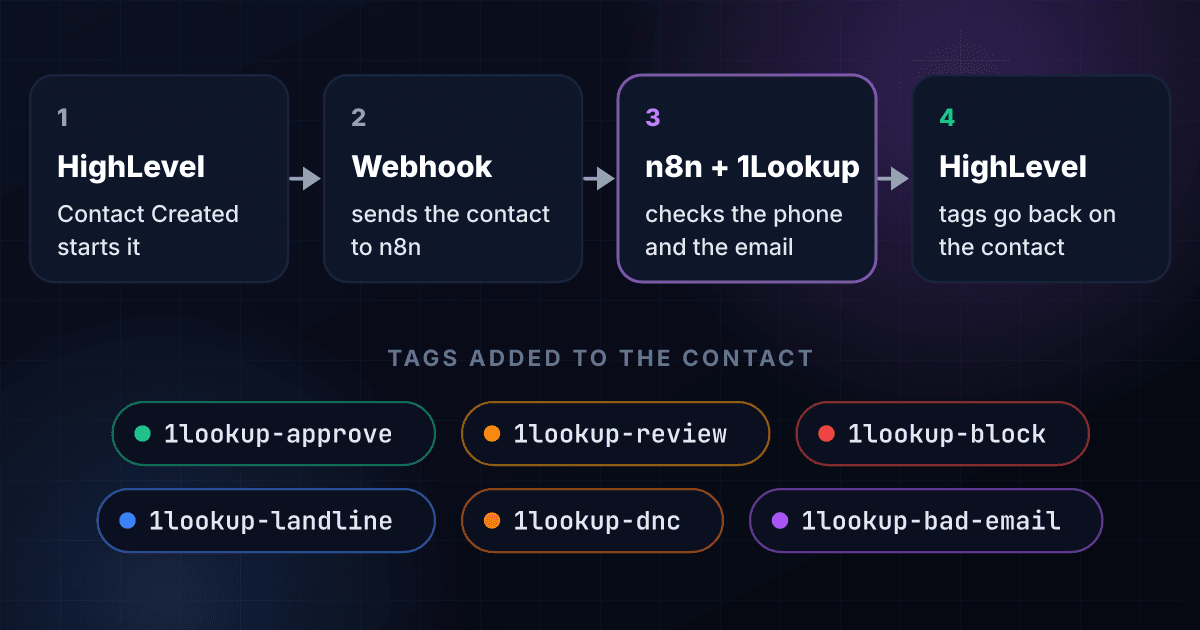
You can try the data behind these checks free before you connect anything.
You can connect 1Lookup to these tools too.
Here are answers to common questions about 1Lookup in HighLevel.
Is the 1Lookup app live in the GoHighLevel Marketplace?
Yes. It is listed in the GoHighLevel Marketplace as 1Lookup, and you install it from there.
Do I need a 1Lookup account?
Yes. The app asks for your 1Lookup API key when you install it. Each check uses credits from your 1Lookup plan, the same as an API call.
What does each check cost?
Phone Validation costs 1 credit, Email Validation 1 credit, Phone Spam Check 1 credit, Number Type Lookup 1 credit and IP Lookup 1 credit. MNP Lookup costs 3 credits and HLR Lookup costs 5 credits. The list of actions above shows the price of every action.
Which results can a workflow branch on?
Phone Validation returns the line type, the carrier, risk indicators and a recommendation of approve, review or block. Email Validation returns a deliverability status of safe, risky or unknown, a risk level and a recommendation.
Does it check the Do Not Call list?
The 1Lookup phone check reports do-not-call status for US and Canadian numbers. The ready-made n8n workflow on this page uses it to tag those contacts in HighLevel as 1lookup-dnc. To scrub a whole list before a campaign, use Phone Scrub.
Does it work for numbers outside the US?
Number Type Lookup, MNP Lookup and HLR Lookup cover international numbers. HLR Lookup reads the live status of a mobile number straight from the mobile network.
Can I run the same checks from n8n, Zapier or Make?
Yes. 1Lookup has its own app on each of the three, and the n8n workflow on this page tags HighLevel contacts without any code.
What permissions does the app ask HighLevel for?
The listing shows two: contacts and workflows.